


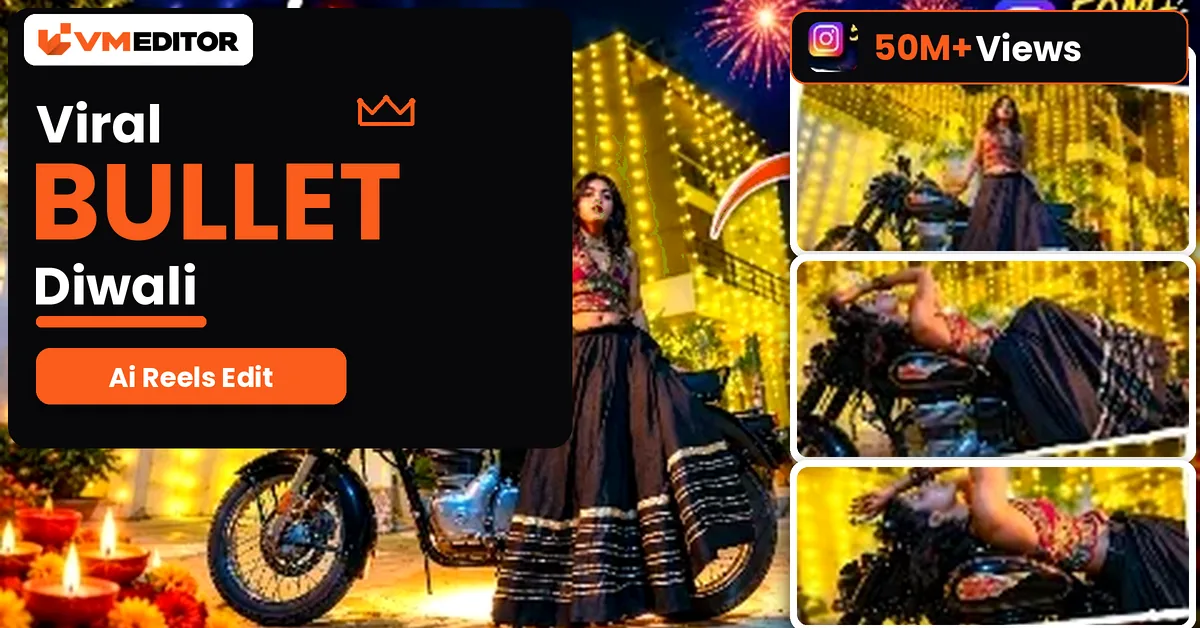
The Bullet Bike Reel That Needs No Bike, No Outfit and No Shoot
A parked black Bullet under a street of golden fairy lights. A girl in a black printed lehenga sitting sideways on it, looking down with a soft smile — then a blink of darkness, and she is lying back across the bike, hair falling, eyes closed, while the red tail light glows. That quiet, dreamy Diwali video is everywhere on Instagram right now, and almost nobody in it owns the bike, wore the outfit, or stood on that street.
It is an AI video. A reference clip supplies the entire scene — the motorcycle, the fairy-light buildings, the night sky, even the outfit — and your photo supplies only the person. This article gives you the exact prompt and the full process, free, using Google Flow.
Details of the Viral Diwali Bullet AI Video
Diwali timing is why this format exploded: the reference scene is already dressed for the festival, with warm golden lights covering the buildings behind the bike. What surprises most people is how little the creator provides. You do not shoot a video. You do not wear a suit or a lehenga — the prompt fixes the outfit from the reference video itself (for girls, the same black printed lehenga; for boys, an all-black formal look). You do not edit anything afterwards either. Upload a photo, paste the prompt, generate, post.
The video runs 10 seconds in two shots: sitting on the bike, then lying back across it after a quick dark blink transition. Both shots, including the on-screen lyric text, come from the reference video — your only job is a good photo.
What You Need to Create This Video
A photo where your face is completely clear. Front or back camera both work; what matters is that your face is sharp, well-lit and uncovered, because the AI has to keep it recognisable even in the frames where your head tilts back and hair falls across the bike. Your clothes in the photo do not matter at all — the prompt ignores them and dresses you in the fixed outfit.
The reference video. Download it from the button below. It is muted, and that is intentional: the song gets added later on Instagram, while the video itself carries the scene, the timing and the lyric text overlays.
Prompt 1: Bullet Bike Diwali Video — Google Flow Reference Prompt
Upload the reference video (@video1) and your photo (@image1), then paste this prompt exactly. Everything except the person comes from the reference — that is what keeps the scene identical to the viral original.
How to Create the Viral Bullet Diwali AI Reel
Step 1: Click the Create Your Video button below to open Google Flow, then start a New Project.
Step 2: Click the Plus icon → Upload and add the reference video and your photo. Upload the video first so it becomes @video1 and the photo becomes @image1.
Step 3: Select both files and paste the copied prompt.
Step 4: Open Adjust, set the ratio to 9:16 and the duration to 10 seconds.
Step 5: Click Send. The video generates in a few minutes — download it, add the trending song on Instagram (the generated video is silent by design), and post.
FAQs
Do I need to own a Bullet bike or wear a lehenga to make this video?
Neither. You only upload a clear photo of yourself. The motorcycle, the street and the outfit all come from the reference video — the prompt deliberately ignores the clothes in your photo and dresses you in the fixed outfit from the reference.
Can boys use this same prompt?
Yes. The prompt has a fixed outfit for both cases: girls get the black printed lehenga from the reference video, and boys get an all-black formal outfit — black shirt, trousers, belt and formal shoes. Everything else in the video stays the same.
The generated video has no sound. Where does the song come from?
That is by design — the reference video is muted so its lyric text overlays stay in sync with the song you add yourself. Download the video, then add the trending audio while posting it as an Instagram Reel.
My face changes in the lying-back part of the video. How do I fix it?
Those frames are the hardest for the AI because your head tilts back and hair falls over the bike. A sharper, front-facing photo with your full hairstyle visible gives it much more to hold on to — swap the photo before you blame the prompt.
Conclusion
One clear photo, one reference video, one prompt — and you are sitting on a Bullet under a street of Diwali lights without leaving your room. Download the reference, respect the upload order, and let Flow rebuild the scene around you.
For another festive look from a single photo, the cinematic saree video prompt turns your picture into a full traditional saree video — no reference video needed there.
