


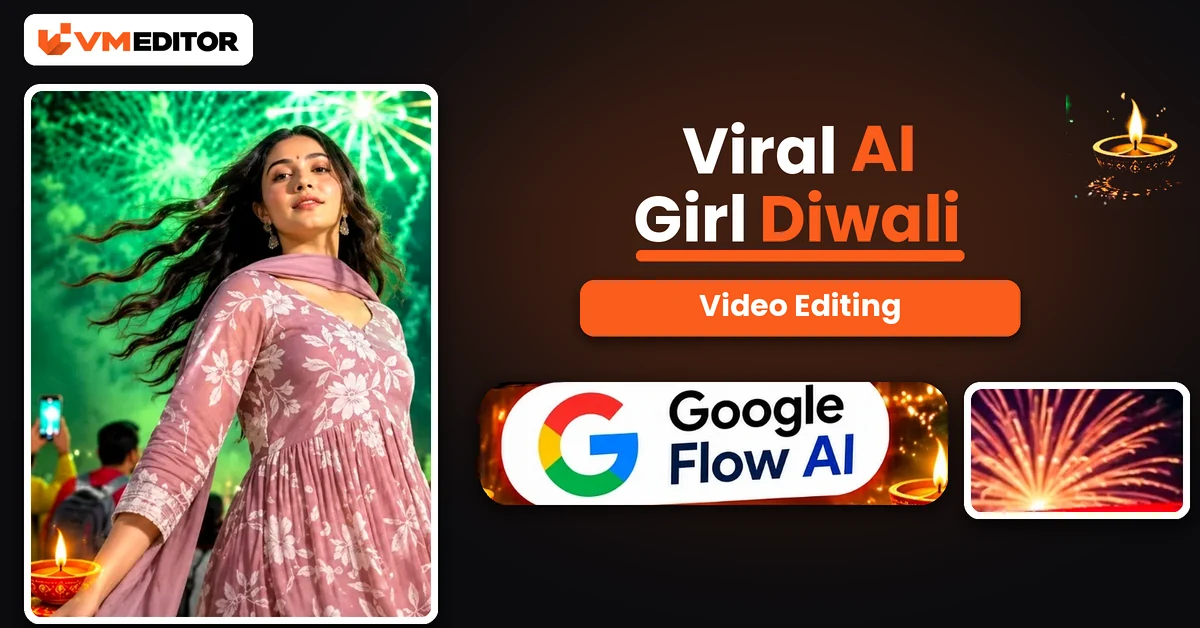
A Spin, a Dupatta in the Air, and the Sky Exploding Behind You
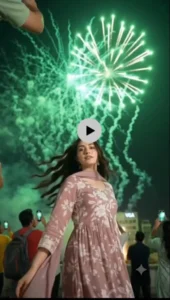
It is the Diwali transition everyone is saving: a girl on a rooftop at twilight, shot from below, beginning a slow spin — and as her dupatta sweeps across the frame, the evening turns into night and the sky erupts. Green fireworks first, then a red and pink finale, while she completes the full turn under it all. The footage even plays rotated, horizon sideways, which is exactly why it stops thumbs.
Nobody filmed that for you — Google Flow generated it. The recipe is a reference video for the movement, your photo for the girl, and one unusually detailed prompt that describes the entire video phase by phase. This article gives you all three parts of the process.
Details of the Viral AI Girl Diwali Video Edit
The reference video guides the movement, timing and camera behaviour; your photograph supplies the girl’s identity. What makes this edit cinematic is the contrast the prompt is built around: a calm blue-hour evening against an explosive fireworks night, with the spin stitching the two together — the dupatta flare is literally the wipe that hides the transition. Around her, a real-feeling crowd holds up phones, city buildings glow at the edges, and the firework colours wash over her skin and the sheer fabric of the outfit phase by phase. It is a Diwali wish, a transition video and a portrait session in one 13-second scene.
What You Need to Create an AI Girl Diwali Video
Google Flow AI for the generation. Your clear photograph — face visible and sharp, ideally with long hair loose, since the spin and hair movement carry half the effect. The Diwali reference video (download button below) to guide the movement and fireworks timing. And the prompt below, which is written as a master description of the finished video — keep it whole; its phase timings are the choreography.
How to Create the AI Girl Diwali Video in Google Flow
Step 1: Open Google Flow AI from the Create Your Video button and start a New Project.
Step 2: Click the Plus (+) icon and upload the reference video first, then add your photograph.
Step 3: Copy the prompt below and paste it into the prompt box.
Step 4: Open settings: aspect ratio 9:16, speed 1x, duration 10 seconds. (The prompt’s phases describe the original’s ~13-second pacing; at 10 seconds the same sequence simply plays a little tighter, in the same order.)
Step 5: Click Send, wait for the generation, then open the video and Download it to your device — ready for Reels, Shorts and Status.
Prompt 1: AI Girl Diwali Fireworks Video — Master Description Prompt
Upload the reference video and your photo, then paste this complete description. Do not trim the phases — each colour stage of the fireworks is a separate phase for a reason.
What Is Google Flow AI, and How Does It Help Create AI Diwali Videos?
Flow is Google’s AI-powered video creation tool: it builds creative videos from photographs, reference videos and text prompts, so creators can experiment with movements, scenes, camera angles and visual effects without filming. In this technique the jobs are divided cleanly — your photograph is the character reference, the reference video guides the movement and the overall scene, and the prompt instructs the character’s actions and the fireworks sequence in phase-by-phase detail. Combined, they produce a personalised festive video of a scene you never had to stand in.
Why Are AI Girl Diwali Videos Becoming Popular?
Because a festival greeting everyone has seen a hundred times — a photo with “Happy Diwali” typed on it — cannot compete with a cinematic scene of the person herself spinning under a fireworks finale. These videos work as Reels, Shorts, Facebook posts and WhatsApp Status at the same time, they feel personal because the face is real, and tools like Flow have reduced the production to an upload and a paste. When the barrier drops that low during a festival week, the format floods every feed within days.
Tips for a Better AI Girl Diwali Video
Use a genuinely clear photograph. The girl’s face must be easy to recognise — the spin turns her through every angle, and weak photos lose identity mid-turn. Match the reference and the prompt. This prompt describes one specific video; pairing it with a different reference clip fights the description. Check the result like a viewer. Watch for natural appearance, movement and background — AI output varies, and regenerating once is normal, not a failure. Mind the hair. Long, loose hair in your photo makes the Phase 3 and Phase 5 hair movement look the way the trend promises.
FAQs
Do I need both the reference video and this long prompt?
Yes — they do different jobs. The reference video guides the actual movement, timing and camera behaviour, while the prompt describes the finished scene in detail: the outfit, the rotated low-angle framing and all five firework phases. Your photo supplies the girl’s identity on top of both.
The prompt describes a mauve outfit. What if my photo wears something else?
The scene’s look — including the mauve anarkali with the white floral bodice — comes from the prompt’s description, so the generated video follows it. What your photo contributes is the girl herself: her face and identity. That is the design of this particular trend.
Why does the video look rotated or sideways?
That is the trend’s signature composition, written into the prompt on purpose: portrait footage rotated 90 degrees, shot from a low angle looking up. It is what makes these Diwali transitions instantly recognisable in a feed — do not “fix” it in an editor.
The phases add up to about 13 seconds, but the steps say 10. Which is right?
Both. The phases describe the original video’s pacing; Flow’s duration setting of 10 seconds plays the same five phases in the same order, slightly tighter. If your Flow plan offers a longer duration, the sequence breathes more like the original.
Conclusion
Reference video, one clear photo, and the most detailed prompt in this Diwali series — that is the whole fireworks show. Keep the prompt intact, respect the settings (9:16, 1x, 10 seconds), and your twilight spin ends under a red and gold finale.
For the other Diwali look in this series, the AI girl transformation Diwali prompt turns your photo into a full traditional-look transformation video using Gemini — same festival, completely different magic trick.
