
Close Menu
Vm Editor

    Subscribe to Updates

    Get the latest creative news from FooBar about art, design and business.

    What's Hot

    ChatGPT All Viral Photo Editing Prompts 2026 – Trending AI Photo Editing Prompts

    November 6, 2026

    Viral AI Girl Diwali Video Editing – Stunning Fireworks Video with Google Flow (2026)

    November 6, 2026

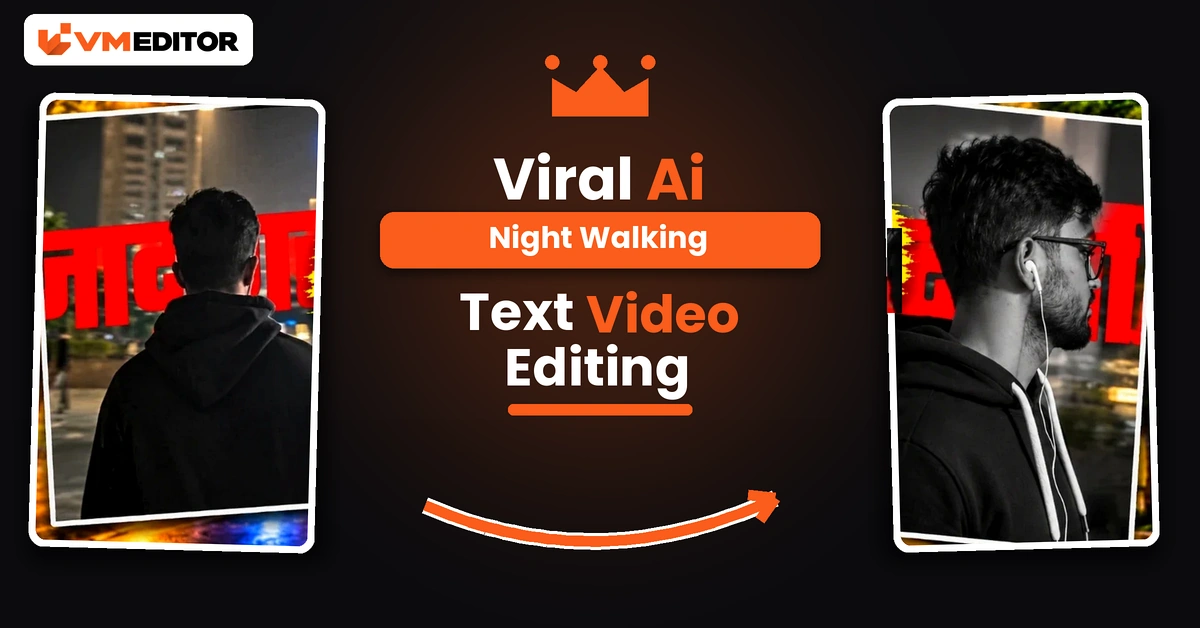
    Viral AI Night Walking Text Video Edit Prompt – Google Flow & CapCut (2026)

    November 6, 2026
    Facebook X (Twitter) Instagram
    Vm EditorVm Editor
    • Home
    • AI Video Editing
    • AI Photo Editing
    • About Us
    • Contact Us
    Vm Editor
    Home»AI Video Editing»Viral AI Night Walking Text Video Edit Prompt – Google Flow & CapCut (2026)
    AI Video Editing

    Viral AI Night Walking Text Video Edit Prompt – Google Flow & CapCut (2026)

    Arjun MehtaBy Arjun MehtaNovember 6, 2026No Comments10 Mins Read
    Facebook Twitter Pinterest LinkedIn Tumblr Email
    Share
    Facebook Twitter LinkedIn Pinterest Email

    One Photo In, a Cinematic Night Walk Out

    A man in a black suit walks a quiet city street at night — past shuttered shops and warm streetlights, down a broad stone staircase, straight towards the camera — while stylish animated text plays over the scene. It looks like a fashion film shot at 2 a.m. It was generated from a single photograph, in two tools: Google Flow AI creates the walking video from your photo and the prompt below, and CapCut adds the animated text overlay that gives the edit its signature finish.

    No walking footage of your own, no camera, no editing timeline skills. Your photo supplies the man; the prompt supplies the suit, the street and all six shots, timed to the tenth of a second.

    Details of Viral AI Cinematic Walking Video Editing

    Most AI video prompts describe a scene and hope for the best. This one behaves like a shot list. It fixes the outfit (premium black suit, white shirt, slim black tie, dark sunglasses), fixes the location (a nighttime commercial street with closed shutters, glowing signs and one grand staircase), and then directs six specific shots — side profile, rear view, staircase descent, frontal approach with a jacket adjustment, low-angle legs, final confident walk — each with an exact duration that adds up to precisely 10 seconds. That director-level detail is why results from this prompt look composed rather than random, and why the format keeps getting reposted.

    What You Need to Create This Video

    Google Flow AI — to generate the walking video. One clear photo of the man — front or three-quarter face, sharp and well-lit; the prompt locks his identity to it with zero drift. CapCut — for the finishing step. And the animated text video — a separate downloadable overlay (button below the prompt) that CapCut places over your finished walk. Nothing else: the prompt builds the entire scene, so unlike most trends here, no reference video is involved.

    How to Create the Video Using Google Flow and CapCut

    Part 1 — generate the walk in Flow. Open Google Flow from the Create Your Video button, start a New Project, click the Plus icon and upload your photo (@IMAGE1). Paste the prompt below (fill in the age field only if you want to change the apparent age — blank keeps the photo’s age), set 16:9, and click Send. Preview the result and download it.

    Part 2 — add the text in CapCut. Open CapCut, create a new project and add your generated walking video. Choose Overlay and add the downloaded animated text video. Select the overlay and use Remove Background to strip its original background, leaving only the text animation. Adjust the text’s size, position and timing against your walk — most creators park it in the opening or the final approach shot — then preview and export.

    Prompt 1: AI Night Walking Video Prompt (Google Flow)

    Upload your photo, paste the prompt, and leave BOY_AGE blank unless you specifically want a different age than the photo shows.
    Create an exact 10-second ultra-photorealistic cinematic fashion-walking video — 16:9 landscape, 1920×1080, 30fps, normal real-time speed (1×) — using @IMAGE1 as the STRICT MALE FACE AND IDENTITY REFERENCE. Preserve the exact facial identity, hairstyle, skin tone, facial proportions and natural body proportions from @IMAGE1, with ZERO identity drift, face replacement, beautification or age change. EDITABLE AGE: BOY_AGE = [ENTER AGE IN YEARS]. If left blank, preserve the apparent age from @IMAGE1. CHARACTER AND OUTFIT: the man wears a premium fitted black formal suit, black trousers, a crisp white dress shirt, a slim black necktie, polished black formal shoes and dark rectangular sunglasses. His hairstyle stays neat and naturally textured. His overall appearance is confident, stylish and composed. Keep the complete outfit consistent in every shot. ENVIRONMENT: a cinematic nighttime urban street with closed shopfronts, metal rolling shutters, old commercial buildings, illuminated shop signs, warm streetlights, dark asphalt roads and a few distant blurred lights. Include a broad outdoor stone staircase with a bright illuminated landing at the top, surrounded by dark trees and urban surroundings. The street sits under a deep blue-black night sky with warm amber streetlights and realistic reflections. Maintain the same nighttime urban atmosphere throughout. SHOT 1 — 00.00–02.00 SEC — SIDE-PROFILE WALKING: begin with a medium close-up side-profile view of the man walking confidently along the nighttime street. His face is turned toward screen-left, sunglasses visible, chin slightly raised, expression composed. His arms swing naturally with alternating footsteps. The camera tracks parallel to him, keeping his upper body prominent while illuminated shopfronts and streetlights stay softly blurred behind him. SHOT 2 — 02.00–03.40 SEC — REAR WALKING VIEW: cut to a medium rear view. The man continues walking away from the camera down the middle of the quiet street. His black suit jacket moves naturally with each step, his arms swing gently and his footsteps remain steady. Warm streetlights and closed shops extend into the distance. Keep the camera behind him, maintaining his full upper body and legs in the composition. SHOT 3 — 03.40–05.00 SEC — STAIRCASE WALKING: cut to a wide frontal view of a broad outdoor stone staircase at night. The man walks down the steps toward the camera, maintaining a confident upright posture. His arms move naturally and his suit jacket shifts with each step. A bright illuminated landing is visible behind him at the top of the staircase, with dark trees and streetlights on either side. Keep his full body visible and preserve realistic foot placement on every step. SHOT 4 — 05.00–07.20 SEC — CONFIDENT APPROACH TOWARD CAMERA: continue with a frontal medium-wide shot of the man walking toward the camera on the lower staircase. He briefly adjusts the front of his suit jacket with both hands near the lapels, then lowers his hands and continues walking forward. His head stays upright, his sunglasses remain on, and his facial identity stays consistent. The camera remains centred in front of him, allowing him to gradually become larger in the frame as he approaches. SHOT 5 — 07.20–08.70 SEC — STREET WALKING, LOW-ANGLE VIEW: cut to a low-angle medium shot of the man’s lower torso and legs as he walks along the nighttime pavement. His polished black formal shoes take natural alternating steps and the lower edge of his black suit jacket moves with his stride. A dark streetlamp post and closed shopfronts are visible beside the pavement. The camera maintains the low framing and follows his forward movement naturally. SHOT 6 — 08.70–10.00 SEC — FINAL CONFIDENT WALK: cut to a medium frontal shot on the same nighttime street. The man continues walking toward the camera with a relaxed, confident posture. His shoulders remain straight, his arms swing naturally, and his black suit jacket moves subtly with each step. Warm streetlights and distant urban lights create a softly blurred background. End while he is still walking forward, with his face and outfit clearly recognisable. CAMERA AND MOVEMENT LOCK: preserve the sequence of side-profile walking, rear walking, staircase descent, frontal approach with a brief jacket adjustment, low-angle leg movement and final frontal walking. Use clean direct cuts between the specified shots. Every walking action must use natural alternating steps, realistic foot contact, correct balance, subtle torso movement and natural arm swing. The camera must follow the stated framing without unnecessary zooms, spins or invented movements. VISUAL STYLE: photorealistic nighttime street cinematography, premium black-suit fashion aesthetic, realistic skin texture, natural body mechanics, warm amber streetlights, deep shadows, shallow depth of field, soft background bokeh and realistic fabric movement. No extra characters, no wardrobe changes, no identity drift, no running, no dancing, no exaggerated gestures, no text, subtitles, lyrics, logos or watermarks. No slow motion, no speed ramps, no time stretching, no freeze frames and no artificial transitions. EXACT TIMING LOCK: Shot 1 = 2.00 seconds; Shot 2 = 1.40 seconds; Shot 3 = 1.60 seconds; Shot 4 = 2.20 seconds; Shot 5 = 1.50 seconds; Shot 6 = 1.30 seconds. TOTAL DURATION = EXACTLY 10.00 SECONDS. Final output: 1920×1080, 16:9 landscape, full-frame composition, 30fps, ultra-photorealistic live action, normal real-time speed (1×).

    Best For: Cinematic black-suit walking videos and attitude status edits, finished with a CapCut text overlay

    Recommended Aspect Ratio: 16:9 (Horizontal, 1920×1080)

    Customizable Elements: BOY_AGE — type an age or leave it blank to keep the photo’s apparent age; the outfit, street and all six shot timings are fixed

    ⬇ Download Text Video
    ▶ Create Your Video

    What Is Google Flow AI, and How Does It Help Create Cinematic Walking Videos?

    Flow is Google’s AI video creation tool: it generates video from images, reference material and text prompts, letting creators experiment with scenes, movements and cinematic styles without filming every frame. For this technique the division of labour is simple — your photograph provides the character, and the written prompt directs everything else: the outfit, the street, the camera positions and the exact timing of six shots. Combine a clear photo with the prompt pasted untouched and Flow produces a personalised walking video that CapCut then finishes.

    What Is CapCut, and Why Is It Used for the Text?

    CapCut is a video editing app with the overlay and background-removal tools this finish needs. The animated text for this edit is supplied as its own little video; in CapCut you lay it over your walking footage with the Overlay option, strip its background with Remove Background so only the text animation remains, and then position and time it against the walk. It takes two minutes, and it is the step that turns a clean AI video into the recognisable trending edit — the walk gets the attention, the text gets the screenshots.

    Why Is AI Cinematic Walking Video Editing Becoming Popular?

    Because it gives an ordinary photo a film premiere. A confident walk in a black suit reads as status content everywhere — profile videos, attitude status, birthday edits — and nobody has to actually find a location, a suit that fits like that, or a friend who can track a camera smoothly at night. AI supplies the production value; CapCut supplies the personality in text. That two-tool split is also why beginners manage it: each app does only the part it is good at.

    FAQs 

    Why is the walking video 16:9 when Reels are vertical?

    This prompt is composed as a landscape fashion film — the staircase and street shots need the width. For Reels, crop to 9:16 inside CapCut while adding the text overlay, keeping the man centred; or post the landscape version to YouTube and Facebook, where it fits natively.

    What is the BOY_AGE field, and should I fill it in?

    It is an optional age override inside the prompt. Leave it blank and the video keeps the apparent age of your photo — which is what most people want. Type an age only if you deliberately want the man to look that age instead.

    Where does the animated text in these videos come from?

    From a separate text video, not from Flow. Download it from the button above, then in CapCut add it as an Overlay on your walking video and use Remove Background so only the text animation sits over your footage.

    Can I change the outfit or remove the sunglasses?

    Those lines are inside the prompt, so you can edit them — but be aware the black-suit-and-sunglasses look is the entire identity of this trend. Change the outfit and you have a fine walking video, just not this viral one.

    Conclusion

    One photo, one director-grade prompt, one text overlay. Generate the walk in Flow exactly as timed, finish it in CapCut with the animated text, and an ordinary portrait becomes a night scene people assume you filmed.

    For another cinematic arrival-style video from a single photo, try the helicopter entry video prompt — same one-photo method, considerably louder entrance.

    Share. Facebook Twitter Pinterest LinkedIn Tumblr Email
    Arjun Mehta
    • Website

    Arjun Mehta is a contributing writer at VM Editor, covering AI video prompts, generative media workflows, and practical creator tools.

    Related Posts

    Viral AI Girl Diwali Video Editing – Stunning Fireworks Video with Google Flow (2026)

    November 6, 2026

    Viral Bahubali Funny Comedy AI Reels Edit Prompt – 3 Character Replacement (2026)

    November 6, 2026

    AI Character Replacement in Any Video Editing Prompt Using Google Flow AI (2026)

    November 6, 2026
    Add A Comment
    Leave A Reply Cancel Reply

    Editors Picks

    Viral AI Girl Diwali Video Editing – Stunning Fireworks Video with Google Flow (2026)

    November 6, 2026

    Viral AI Night Walking Text Video Edit Prompt – Google Flow & CapCut (2026)

    November 6, 2026

    Viral Bahubali Funny Comedy AI Reels Edit Prompt – 3 Character Replacement (2026)

    November 6, 2026

    AI Character Replacement in Any Video Editing Prompt Using Google Flow AI (2026)

    November 6, 2026
    Vm Editor
    Facebook X (Twitter) Instagram YouTube
    • Home
    • About Us
    • Privacy Policy
    • Contact Us
    • Disclaimer
    • Terms and Conditions
    • Sitemap
    • APK Hijau
    © 2026 VM Editor. All Rights Reserved

    Type above and press Enter to search. Press Esc to cancel.