


Ganpati Bappa AI hug videos use a simple devotional photo and animate it into an emotional scene where the person moves closer to Ganesh Ji and receives a warm embrace.
The strength of this edit is its simplicity. Instead of changing the location, clothes, idol design, or camera setup, the AI works from the original uploaded image and adds controlled body movement. When identity, hand movement, and the original composition remain stable, the result can feel much more believable than an edit filled with unnecessary effects.
This style is especially suitable for a photo taken beside a Ganesh Ji idol at home, inside a pandal, during a celebration, or in another devotional setting.
If you are also creating other Ganesh-themed AI reels, the Ganesh Ji and Krishna devotional AI video prompts cover another closely related workflow with devotional storytelling and controlled character movement.
Details About the Ganpati Bappa AI Hug Video
The central idea is to animate an existing photo rather than rebuild the complete scene from scratch.
Your uploaded image remains the visual foundation. The person, Ganesh Ji idol, clothes, jewellery, decorations, lighting,g and background should continue looking like the original photo.
The movement begins gently. The person moves closer toward Ganpati Bappa with an emotional and respectful expression. Ganesh Ji then extends His arms, and the interaction develops into a natural embrace.
The person also wraps both arms around Ganesh Ji and rests their head gently against Him. The final part holds the hug briefly instead of immediately moving into another action.
Because the scene involves close physical interaction, hands, fingers, arms,s and body contact are particularly important. Any obvious anatomy error can make an otherwise convincing clip look artificial.
How to Select the Right Photo for a Ganpati Bappa Hug Video
Photo selection can make a major difference before generation even begins.
Choose an image where your face is clearly visible and not heavily blurred, covered, edited, or turned completely away from the camera.
It also helps when the person and Ganesh Ji idol are positioned at compatible heights and distances. If the idol appears extremely small in one corner or disproportionately large compared with the person, creating a physically believable embrace becomes more difficult.
A photo with folded hands, a relaxed standing pose, or arms positioned naturally near the body is usually easier to animate than one with crossed arms, hidden hands,s or complicated body positions.
Try to use an image with:
- A clearly visible face
- A recognizable Ganesh Ji idol
- Visible upper body and arms
- Reasonable distance between the person and idol
- Clean lighting
- Limited motion blur
- Minimal obstruction between both subjects
- A camera angle that could naturally transition into an embrace
Ganpati Bappa AI Hug Video Prompt
This reference article contains one prompt, so the VMEditor.org version below also contains exactly one copyable prompt box.
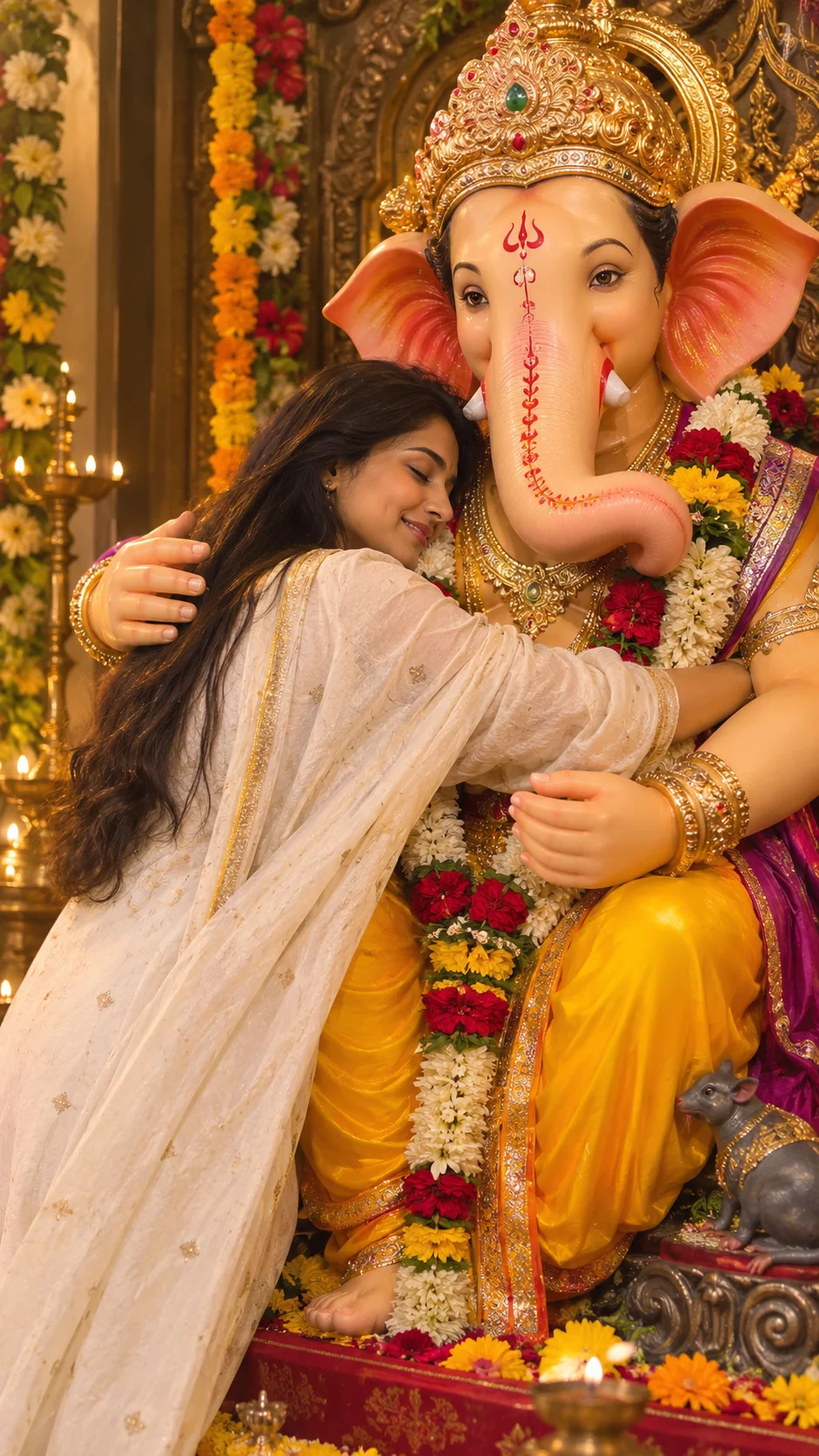
Create a photorealistic cinematic devotional video directly from the uploaded image, using that image as the only visual reference for the complete scene.
Do not redesign the scene, replace the subjects or introduce a different Ganesh Ji appearance.
Keep the person’s recognizable face, facial structure, hairstyle, skin tone, clothing, body proportions and overall identity unchanged throughout the complete animation.
Do not beautify, morph, replace or redesign the face. Avoid identity drift and outfit changes from the first frame to the last frame.
Preserve Ganesh Ji exactly as represented in the uploaded image.
Maintain the same face, trunk shape, crown, ornaments, clothes, garlands, colors, body structure, decorative details and proportions throughout the entire video.
Do not replace the idol with a different design and do not allow facial or structural details to change during movement.
Begin naturally from the exact pose shown in the uploaded photo.
The person slowly moves closer toward Ganesh Ji with a gentle, innocent, emotional and devotional expression.
Keep the movement slow and physically believable. Preserve realistic balance, posture and body weight instead of making the person slide or float forward.
Ganesh Ji gently begins extending His arms toward the person in a warm and compassionate gesture.
Animate the shoulders, elbows, wrists and hands as one connected physical movement.
The arms should reach the person naturally without stretching, warping or passing unrealistically through the body.
Let the movement develop into a gentle, believable and emotionally warm embrace.
The person naturally wraps both arms around Ganesh Ji while Ganesh Ji lovingly embraces the person.
The person’s head then rests gently against Ganesh Ji in a peaceful devotional pose.
Keep the body contact physically connected and natural. Arms, hands, shoulders and torso placement should respond realistically to the embrace.
Hold the completed hug for a short emotional moment rather than immediately introducing another action.
Use subtle breathing, tiny natural posture adjustments and restrained facial micro-movements to keep the final pose alive while maintaining the peaceful devotional feeling.
Maintain anatomically believable hands, fingers, arms, shoulders and body proportions throughout the movement.
Avoid extra fingers, missing fingers, fused fingers, distorted palms, duplicated arms, duplicated limbs, disconnected wrists, broken anatomy, body deformation or floating body parts.
Keep the original background, decorations, lighting direction and camera composition consistent with the uploaded photo.
Do not replace the location or introduce new objects, people, decorations or background elements.
Allow only very subtle cinematic camera movement where needed. Do not let camera motion distract from the embrace.
Use realistic lighting, physically consistent shadows, detailed skin and fabric textures, gentle breathing, natural cloth movement and believable physical contact.
The finished sequence should feel like the original photograph has naturally come to life rather than being replaced by a newly generated scene.
Keep the movement smooth and continuous from the original pose, through the approach and embrace, to the final held hug.
Do not add extra people, duplicate characters, text, subtitles, logos or watermarks.
Create the final video in vertical 9:16 format.
How to Create a Ganpati Bappa AI Hug Video
Once you have selected a suitable photo, the remaining workflow is straightforward.
First, use the Copy Prompt button above to copy the complete instruction.
Open your preferred AI image-to-video generator and upload the same photo you selected for the animation.
Paste the copied prompt into the video instruction field.
If aspect-ratio controls are available, select 9:16 vertical, because this prompt is designed for a Reel or Shorts-style composition.
Start the generation and allow the AI tool to create the motion.
After generation, watch the complete clip carefully. Do not judge it only from the opening or final frame.
Check whether:
- The same face remains recognizable
- Ganesh Ji retains the original appearance
- Both arms move naturally
- Hands and fingers remain anatomically believable
- The subjects actually make physical contact
- The person’s head rests naturally during the hug
- The original background stays consistent
- No duplicate subjects appear
- The video remains one continuous shot
If the embrace looks physically incorrect, regenerate the video rather than trying to hide major anatomy problems with transitions.
What Is Google Flow AI?
Google Flow is an AI filmmaking environment that can work with written instructions and visual references for supported video-generation workflows.
For an edit like this, the important idea is image-to-video generation: the uploaded photograph establishes the visual starting point, while the prompt tells the model how the subjects should move.
Here, the photo should remain the main visual reference. The prompt does not ask the tool to invent a new location or redesign Ganesh Ji; it mainly describes the gradual approach and embrace.
Available models, generation limits, credits, supported durations, and aspect-ratio controls can change by account, region,n and service configuration. For that reason, use the options currently available in your account rather than relying on fixed claims about free generations or daily credits.
Conclusion
The Ganpati Bappa AI hug effect works best when the animation stays close to the original photograph.
A clear face, sensible distance between the person and Ganesh Ji, visible arms, MS, and a balanced camera angle give the AI a much stronger starting point for creating believable movement.
The prompt is intentionally built around one continuous action: the person approaches, Ganesh Ji opens His arms, both subjects embrace, ace and the emotional hug is held briefly.
Keeping the original identity, idol design, environment,ment and composition stable is more important than adding extra effects.
