


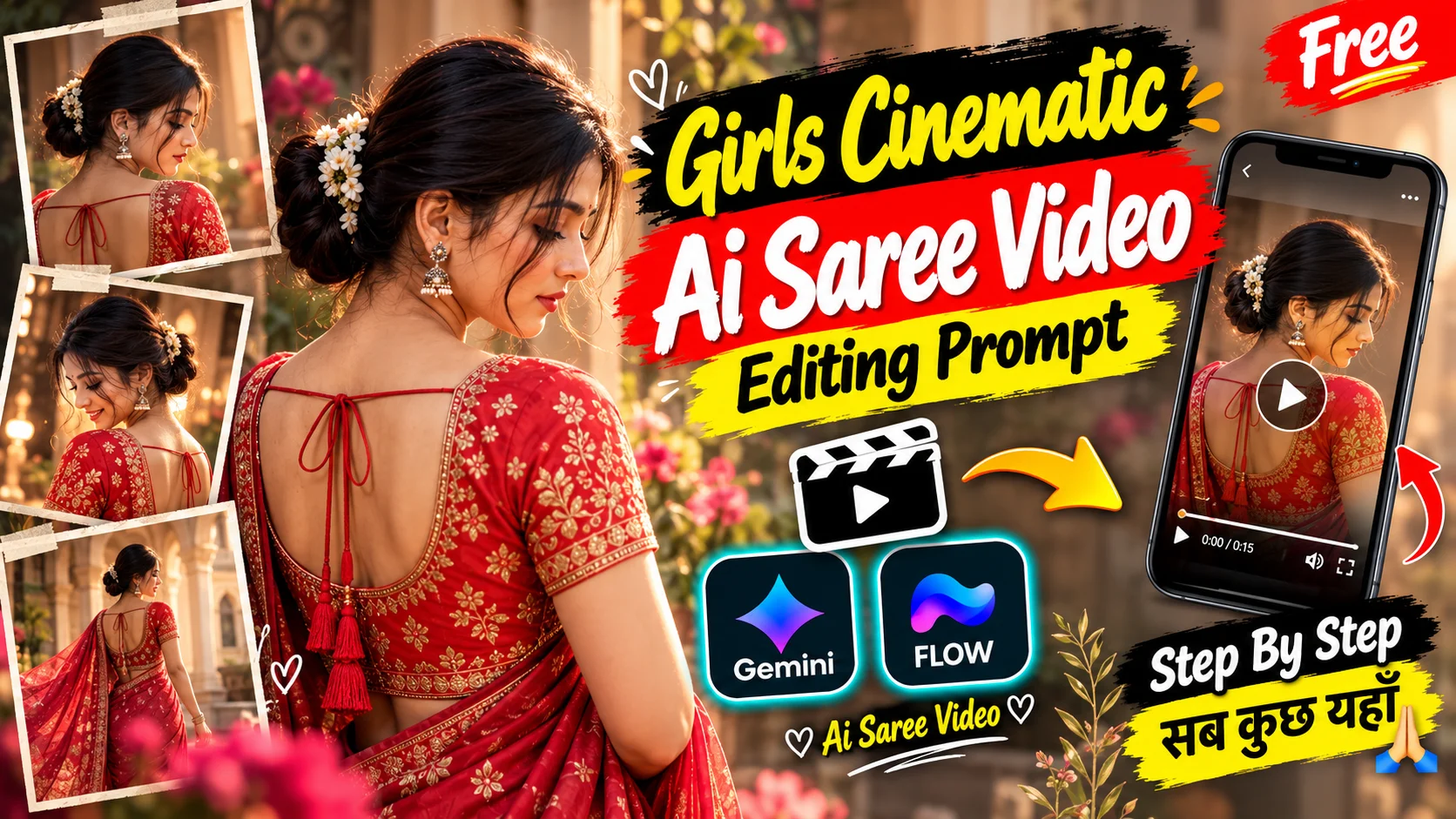
AI saree videos can turn a normal portrait into a short fashion-style sequence with traditional clothing, jewellery, controlled expressions and cinematic portrait framing.
This particular edit focuses on a young woman wearing a deep blue saree with a red blouse decorated with gold detailing. Instead of using complex locations or fast camera movement, the entire sequence takes place against a warm reddish-pink indoor background. The visual interest comes from changing portrait angles, hairstyle, hand placement, gaze direction and subtle expressions.
The result is closer to a carefully planned fashion portrait session than a heavily edited music video. Five separate shots are used across exactly ten seconds, with each shot keeping the same character identity while changing the pose and framing.
Details About This AI Saree Video Style
Traditional clothing is the main visual focus of this edit. The deep blue saree contrasts with the red-and-gold blouse, while dangling earrings and styled dark hair complete the fashion look.
The first shot shows the woman mostly from behind with her hair arranged in a bun and a small floral accessory. Later shots switch to loose hair around her shoulders.
The performance remains deliberately subtle. She looks downward, gently holds the saree near her shoulder, rests a hand beneath her chin and finishes with a soft smile.
These restrained movements matter because the sequence depends on facial consistency and realistic portrait motion rather than large gestures.
The warm reddish-pink wall also stays consistent throughout the sequence. Keeping the background simple helps place more attention on the saree, jewellery, hairstyle and expression.
Why Are Cinematic Saree AI Videos Popular?
Saree edits combine a familiar traditional fashion style with modern AI video generation. A single identity reference can be used to create several portrait compositions while retaining the same recognizable person.
The format also works naturally with short-form content because every few seconds introduces a different pose without completely changing the visual theme.
For this specific edit, the appeal comes from the contrast between the deep blue saree, red-and-gold blouse, warm background and soft facial expressions. The video remains visually varied even though the location stays the same.
Girls Saree Cinematic AI Video Prompt
The prompt below follows a single 10-second, five-shot sequence. Use one clear reference image for the woman’s identity.
Create an exact 10-second ultra-photorealistic live-action portrait video in 16:9 landscape at a natural 30fps-style frame rate and normal real-time speed.
Use the uploaded image strictly as the identity reference for the main female character.
Begin with a close rear three-quarter portrait against a warm reddish-pink indoor wall.
Position the woman mostly facing away from the camera so the back and right side of her head, neck, shoulder and upper torso are visible.
Style her dark hair in a neat bun with a small light-colored floral accessory. Allow a few natural loose strands near the side of her face.
She wears a deep dark-blue saree with a red blouse featuring prominent gold embroidery, patterned details and decorative borders, together with dangling traditional earrings.
Angle her head downward and slightly toward screen-right. Keep her gaze lowered and posture relaxed.
Use only very small natural head and facial movement. Keep the camera close and essentially stationary.
Hard cut to a stable front-facing medium close-up of the same woman.
Her long dark hair is now loose around her shoulders. This hairstyle change is intentional for this separate shot.
She faces generally toward the camera while keeping her eyes lowered and showing a soft natural smile.
Raise her right hand near the saree pallu at the upper chest or shoulder and let her gently hold or adjust the fabric using only subtle finger movement.
Keep her shoulders relaxed and torso mostly still. Preserve the same deep blue saree, red-and-gold blouse, decorative border and traditional earrings.
Keep the same warm reddish-pink wall and soft background shadow.
Hard cut to a tighter frontal close-up.
Her loose dark hair naturally frames the face. Place the right hand underneath the chin with the fingers gently resting along the underside of the chin and upper neck.
Give the head a slight tilt while directing the eyes upward and toward screen-right.
Maintain a calm expression with a subtle smile.
Keep the hand placement, finger position, head angle and eye direction stable except for realistic micro-movements and natural blinking.
Frame mainly the face, hand, neckline and upper shoulders against the same warm wall.
Hard cut to another close portrait while keeping the right hand underneath the chin.
Let the fingers gently support the chin as the smile becomes slightly more noticeable.
Keep her gaze directed upward and toward screen-right with a gentle head tilt.
Preserve the loose hairstyle, dangling earrings, deep-blue saree and red blouse with gold decorative detailing.
Keep the camera close and stable. Do not introduce camera movement or an additional gesture.
Hard cut to the final close or medium-close portrait.
Lower the right hand completely out of the main frame so the face and upper torso remain unobstructed.
Position her generally toward the camera with a slight head tilt and a soft, pleasant smile.
Direct the eyes slightly toward screen-right rather than straight into the lens.
Keep the long dark hair loose around the shoulders with only subtle natural hair movement.
Maintain the same saree, blouse, gold detailing and dangling earrings.
Keep the woman centered against the same warm reddish-pink wall and visible soft shadow until exactly 10.00 seconds.
Maintain realistic anatomy, believable hand and finger articulation, subtle facial micro-expressions, natural blinking, physically realistic hair behavior and believable fabric movement throughout all five shots.
The hairstyle intentionally changes from the bun in Shot 1 to loose hair in Shots 2 through 5. Do not force the hairstyle to remain identical across those separate camera setups.
Treat every shot change as a hard cut between separate static camera setups.
Do not create physical camera movement between shots.
Use normal real-time 1x movement only.
Shot 1: 0.00–1.60 seconds.
Shot 2: 1.60–3.30 seconds.
Shot 3: 3.30–4.34 seconds.
Shot 4: 4.34–5.76 seconds.
Shot 5: 5.76–10.00 seconds.
How to Create the Saree Cinematic Video
Start with a clear portrait of the woman you want to use as the identity reference. Choose an image where the face is sharp and the main facial features are easy to recognize.
Copy the prompt from the box above and open the AI video-generation workflow you plan to use.
Upload the reference image and paste the complete prompt. Because this specific sequence is designed around a 16:9 landscape composition, select 16:9 when the tool provides aspect-ratio controls.
Generate the video and check the complete ten-second result rather than judging only the opening frame.
Pay particular attention to the five required shot changes. The first shot should use a hair bun, while the following shots intentionally use loose hair. This is part of the sequence and should not automatically be treated as an identity-consistency error.
Also check the right hand carefully in the shoulder-adjustment and chin-resting shots. Fingers should remain natural and the hand should not merge into the face, neck or clothing.
If a generation significantly changes the woman’s face, saree colors, blouse design, earrings or background, regenerate rather than trying to hide the inconsistency with additional effects.
What Is Google Flow AI?
Google Flow is an AI filmmaking workflow that can use written instructions and visual references to help create generated video scenes.
For a workflow like this saree edit, the uploaded image provides the character identity while the written prompt defines the wardrobe, poses, expressions, timing and camera setups.
Available models, credits, generation settings, duration options and aspect ratios can vary depending on the account and current service configuration, so use the settings actually available to you.
The most important part for this particular edit is not adding unnecessary motion. The prompt intentionally uses stable portrait compositions and hard cuts rather than camera spins, zoom effects or elaborate transitions.
Faqs
Can I create this saree AI video from a single photo?
Yes. A clear reference photo can be used to preserve the woman’s identity while the prompt controls the saree styling, poses, expressions, hairstyle changes, background and shot timing.
Which aspect ratio should I use for this video?
Use 16:9 landscape for this specific prompt because the five-shot sequence is written around that framing. Changing the ratio may alter the intended composition.
Why does the hairstyle change after the first shot?
The hairstyle change is intentional. Shot 1 uses a neat bun with a small floral accessory, while the remaining shots use loose hair around the shoulders. This should be treated as part of the planned sequence rather than an error.
How can I keep the face consistent in every shot?
Start with a sharp reference image where the face is clearly visible. The prompt also includes identity-lock instructions to preserve facial structure, skin tone and recognizable features across all five shots.
What should I do if the hands or fingers look distorted?
Regenerate the clip if the hand anatomy becomes unnatural. This video includes saree adjustment and chin-resting poses, so realistic fingers and clean hand placement are especially important.
Can I change the saree color, blouse or jewellery?
Yes, but update those details consistently throughout the prompt. If the outfit changes in only one part of the instructions, the generated video may become visually inconsistent.
Conclusion
This saree video works because it keeps the visual concept simple and controlled. The same woman remains the focus while the pose, hairstyle, hand position and expression change across five separate portrait setups.
The deep-blue saree, red-and-gold blouse, traditional earrings and warm reddish-pink background give the sequence a consistent fashion identity. At the same time, the small changes in gaze and expression prevent the ten-second video from feeling static.
For the closest result, preserve the exact shot timings, keep movement at normal speed and avoid adding effects or actions that are not part of the prompt.
