
Close Menu
Vm Editor

    Subscribe to Updates

    Get the latest creative news from FooBar about art, design and business.

    What's Hot

    ChatGPT All Viral Photo Editing Prompts 2026 – Trending AI Photo Editing Prompts

    November 6, 2026

    Viral AI Girl Diwali Video Editing – Stunning Fireworks Video with Google Flow (2026)

    November 6, 2026

    Viral AI Night Walking Text Video Edit Prompt – Google Flow & CapCut (2026)

    November 6, 2026
    Facebook X (Twitter) Instagram
    Vm EditorVm Editor
    • Home
    • AI Video Editing
    • AI Photo Editing
    • About Us
    • Contact Us
    Vm Editor
    Home»AI Video Editing»Viral AI Girl Diwali Video Editing – Stunning Fireworks Video with Google Flow (2026)
    AI Video Editing

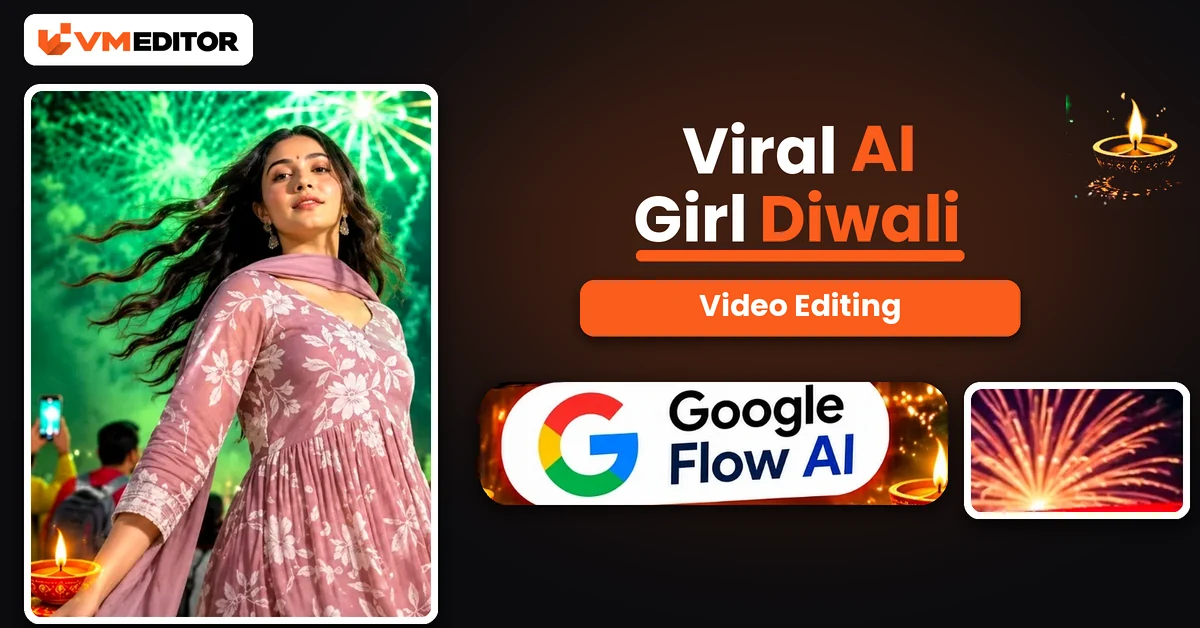
    Viral AI Girl Diwali Video Editing – Stunning Fireworks Video with Google Flow (2026)

    Arjun MehtaBy Arjun MehtaNovember 6, 2026No Comments10 Mins Read
    Facebook Twitter Pinterest LinkedIn Tumblr Email
    Share
    Facebook Twitter LinkedIn Pinterest Email

    A Spin, a Dupatta in the Air, and the Sky Exploding Behind You

    It is the Diwali transition everyone is saving: a girl on a rooftop at twilight, shot from below, beginning a slow spin — and as her dupatta sweeps across the frame, the evening turns into night and the sky erupts. Green fireworks first, then a red and pink finale, while she completes the full turn under it all. The footage even plays rotated, horizon sideways, which is exactly why it stops thumbs.

    Nobody filmed that for you — Google Flow generated it. The recipe is a reference video for the movement, your photo for the girl, and one unusually detailed prompt that describes the entire video phase by phase. This article gives you all three parts of the process.

    Details of the Viral AI Girl Diwali Video Edit

    The reference video guides the movement, timing and camera behaviour; your photograph supplies the girl’s identity. What makes this edit cinematic is the contrast the prompt is built around: a calm blue-hour evening against an explosive fireworks night, with the spin stitching the two together — the dupatta flare is literally the wipe that hides the transition. Around her, a real-feeling crowd holds up phones, city buildings glow at the edges, and the firework colours wash over her skin and the sheer fabric of the outfit phase by phase. It is a Diwali wish, a transition video and a portrait session in one 13-second scene.

    What You Need to Create an AI Girl Diwali Video

    Google Flow AI for the generation. Your clear photograph — face visible and sharp, ideally with long hair loose, since the spin and hair movement carry half the effect. The Diwali reference video (download button below) to guide the movement and fireworks timing. And the prompt below, which is written as a master description of the finished video — keep it whole; its phase timings are the choreography.

    How to Create the AI Girl Diwali Video in Google Flow

    Step 1: Open Google Flow AI from the Create Your Video button and start a New Project.

    Step 2: Click the Plus (+) icon and upload the reference video first, then add your photograph.

    Step 3: Copy the prompt below and paste it into the prompt box.

    Step 4: Open settings: aspect ratio 9:16, speed 1x, duration 10 seconds. (The prompt’s phases describe the original’s ~13-second pacing; at 10 seconds the same sequence simply plays a little tighter, in the same order.)

    Step 5: Click Send, wait for the generation, then open the video and Download it to your device — ready for Reels, Shorts and Status.

    Prompt 1: AI Girl Diwali Fireworks Video — Master Description Prompt

    Upload the reference video and your photo, then paste this complete description. Do not trim the phases — each colour stage of the fireworks is a separate phase for a reason.
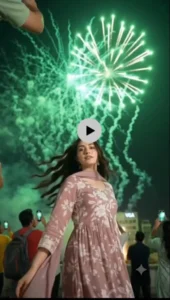
    ASPECT RATIO: 9:16 VERTICAL. The following is a highly detailed, comprehensive description of the video, broken down into its visual phases, technical aspects and minor details, to be used as a master prompt for video generation. OVERALL SCENE AND CAMERA SETUP: Perspective and angle — the video is shot from a distinct low-angle perspective, looking directly up at the subject. The camera is held in portrait mode, but the footage is rotated 90 degrees counter-clockwise, so the horizon is vertical and the subject appears horizontal in the frame. Vibe and theme — a festive, cinematic Diwali transition video capturing the contrast between a calm evening and a vibrant, explosive fireworks celebration. Setting — an outdoor urban rooftop or open plaza at night, surrounded by tall city buildings with illuminated windows. PHASE 1 — THE SETUP (00:00–00:02): Subject — a young woman with long, dark, wavy hair, a warm glowing complexion and subtle makeup. Attire — a traditional / semi-traditional Indian outfit: a mauve / dusty rose coloured dress (anarkali or a similar flowy silhouette) whose bodice carries a bold white floral print, with a matching sheer, lightweight dupatta with a delicate border draped over her shoulders. Pose and action — she looks down toward the low-angle camera with a soft, confident smile, her right hand raised, gently touching or brushing her hair. She then begins to pivot her body, initiating a slow, graceful spin away from the camera. Background — the sky is in the “blue hour” of twilight, a gradient of soft dusky blues and faint purples; city buildings with warm yellow window lights are visible in the periphery. Text overlay — elegant white italicised serif text floats in the upper centre of the frame, reading: “Save this for your diwali transition”. PHASE 2 — THE TRANSITION AND THE SPIN (00:03–00:04): Action — the woman completes the first half of her spin; her back is now to the camera. As she turns, the sheer mauve dupatta catches the air and flares out dramatically, forming a large, sweeping, wing-like shape that briefly obscures the background. Lighting shift — as the fabric sweeps across the frame, the environment instantly transitions from twilight to deep night. Background details — the sky is now pitch black, lit by the first streaks of golden-orange fireworks shooting upward; the city lights in the background appear much brighter and sharper against the dark sky. A person in a yellow shirt is faintly visible on the far left edge. PHASE 3 — THE GREEN FIREWORKS SPECTACLE (00:05–00:07): Subject action — the woman is mid-spin, facing the camera again; her head is tilted back slightly, looking down at the lens, and her hair flies dynamically from the momentum of the spin. Fireworks and atmosphere — the sky explodes with bright neon-green fireworks; thick, billowing white smoke trails from the fireworks crisscross the sky, creating a textured, cloudy backdrop. The green light casts a vibrant, ethereal glow over the entire scene, reflecting off the woman’s skin and the sheer fabric of her dress. Crowd details — the low angle reveals the surrounding crowd: in the lower left, a man in a red t-shirt with a grey backpack looks up, holding a smartphone to record the sky; at the top of the frame, another person in a light green shirt also holds up a phone. PHASE 4 — THE RED AND PINK CLIMAX (00:08–00:10): Subject action — she continues her fluid spin, her face fully visible and lit by the flashing lights, wearing a joyful, awe-struck expression; the white floral pattern on her bodice stands out sharply against the dark, colourful background. Fireworks and atmosphere — the palette shifts dramatically to deep reds, magentas and bright pinks; massive starburst-style fireworks explode high in the sky, and the smoke is now thick and heavily tinted pink and purple by the explosions. Crowd details — the man in the red shirt remains visible in the foreground; at the top left, a person in a dark, sparkly shirt holds up a phone, its bright screen clearly visible. The dynamic lighting creates high-contrast shadows and highlights on the subjects. PHASE 5 — THE FINALE AND RESOLUTION (00:11–00:13): Subject action — the woman completes her full 360-degree spin, her back to the camera once more; her long dark hair whips around in a final cinematic arc. She now faces away from the camera, looking up at the grand finale of the fireworks display. Fireworks and atmosphere — the sky is a chaotic, beautiful canvas of red, gold and white streaks; multiple rockets shoot upward simultaneously, leaving long glittering trails, and the smoke is dense, filling the upper atmosphere. Background details — the city buildings at the bottom of the frame (appearing on the left because of the video’s rotation) are clearly visible, including one building with a lit sign that appears to read “VGA”. The crowd remains captivated, multiple phones held in the air, capturing the massive pyrotechnic display. The video ends on this high-energy, festive note.

    Best For: Diwali transition Reels and festive greetings with a full fireworks show behind you

    Recommended Aspect Ratio: 9:16 (Vertical)

    Customizable Elements: Your photo (the girl’s identity) — the mauve outfit, the spin, the rotated low-angle framing and all five firework phases are described in the prompt

    ▶ Create Your Video

    What Is Google Flow AI, and How Does It Help Create AI Diwali Videos?

    Flow is Google’s AI-powered video creation tool: it builds creative videos from photographs, reference videos and text prompts, so creators can experiment with movements, scenes, camera angles and visual effects without filming. In this technique the jobs are divided cleanly — your photograph is the character reference, the reference video guides the movement and the overall scene, and the prompt instructs the character’s actions and the fireworks sequence in phase-by-phase detail. Combined, they produce a personalised festive video of a scene you never had to stand in.

    Why Are AI Girl Diwali Videos Becoming Popular?

    Because a festival greeting everyone has seen a hundred times — a photo with “Happy Diwali” typed on it — cannot compete with a cinematic scene of the person herself spinning under a fireworks finale. These videos work as Reels, Shorts, Facebook posts and WhatsApp Status at the same time, they feel personal because the face is real, and tools like Flow have reduced the production to an upload and a paste. When the barrier drops that low during a festival week, the format floods every feed within days.

    Tips for a Better AI Girl Diwali Video

    Use a genuinely clear photograph. The girl’s face must be easy to recognise — the spin turns her through every angle, and weak photos lose identity mid-turn. Match the reference and the prompt. This prompt describes one specific video; pairing it with a different reference clip fights the description. Check the result like a viewer. Watch for natural appearance, movement and background — AI output varies, and regenerating once is normal, not a failure. Mind the hair. Long, loose hair in your photo makes the Phase 3 and Phase 5 hair movement look the way the trend promises.

    FAQs 

    Do I need both the reference video and this long prompt?

    Yes — they do different jobs. The reference video guides the actual movement, timing and camera behaviour, while the prompt describes the finished scene in detail: the outfit, the rotated low-angle framing and all five firework phases. Your photo supplies the girl’s identity on top of both.

    The prompt describes a mauve outfit. What if my photo wears something else?

    The scene’s look — including the mauve anarkali with the white floral bodice — comes from the prompt’s description, so the generated video follows it. What your photo contributes is the girl herself: her face and identity. That is the design of this particular trend.

    Why does the video look rotated or sideways?

    That is the trend’s signature composition, written into the prompt on purpose: portrait footage rotated 90 degrees, shot from a low angle looking up. It is what makes these Diwali transitions instantly recognisable in a feed — do not “fix” it in an editor.

    The phases add up to about 13 seconds, but the steps say 10. Which is right?

    Both. The phases describe the original video’s pacing; Flow’s duration setting of 10 seconds plays the same five phases in the same order, slightly tighter. If your Flow plan offers a longer duration, the sequence breathes more like the original.

    Conclusion

    Reference video, one clear photo, and the most detailed prompt in this Diwali series — that is the whole fireworks show. Keep the prompt intact, respect the settings (9:16, 1x, 10 seconds), and your twilight spin ends under a red and gold finale.

    For the other Diwali look in this series, the AI girl transformation Diwali prompt turns your photo into a full traditional-look transformation video using Gemini — same festival, completely different magic trick.

    Share. Facebook Twitter Pinterest LinkedIn Tumblr Email
    Arjun Mehta
    • Website

    Arjun Mehta is a contributing writer at VM Editor, covering AI video prompts, generative media workflows, and practical creator tools.

    Related Posts

    Viral AI Night Walking Text Video Edit Prompt – Google Flow & CapCut (2026)

    November 6, 2026

    Viral Bahubali Funny Comedy AI Reels Edit Prompt – 3 Character Replacement (2026)

    November 6, 2026

    AI Character Replacement in Any Video Editing Prompt Using Google Flow AI (2026)

    November 6, 2026
    Add A Comment
    Leave A Reply Cancel Reply

    Editors Picks

    Viral AI Girl Diwali Video Editing – Stunning Fireworks Video with Google Flow (2026)

    November 6, 2026

    Viral AI Night Walking Text Video Edit Prompt – Google Flow & CapCut (2026)

    November 6, 2026

    Viral Bahubali Funny Comedy AI Reels Edit Prompt – 3 Character Replacement (2026)

    November 6, 2026

    AI Character Replacement in Any Video Editing Prompt Using Google Flow AI (2026)

    November 6, 2026
    Vm Editor
    Facebook X (Twitter) Instagram YouTube
    • Home
    • About Us
    • Privacy Policy
    • Contact Us
    • Disclaimer
    • Terms and Conditions
    • Sitemap
    • APK Hijau
    © 2026 VM Editor. All Rights Reserved

    Type above and press Enter to search. Press Esc to cancel.