


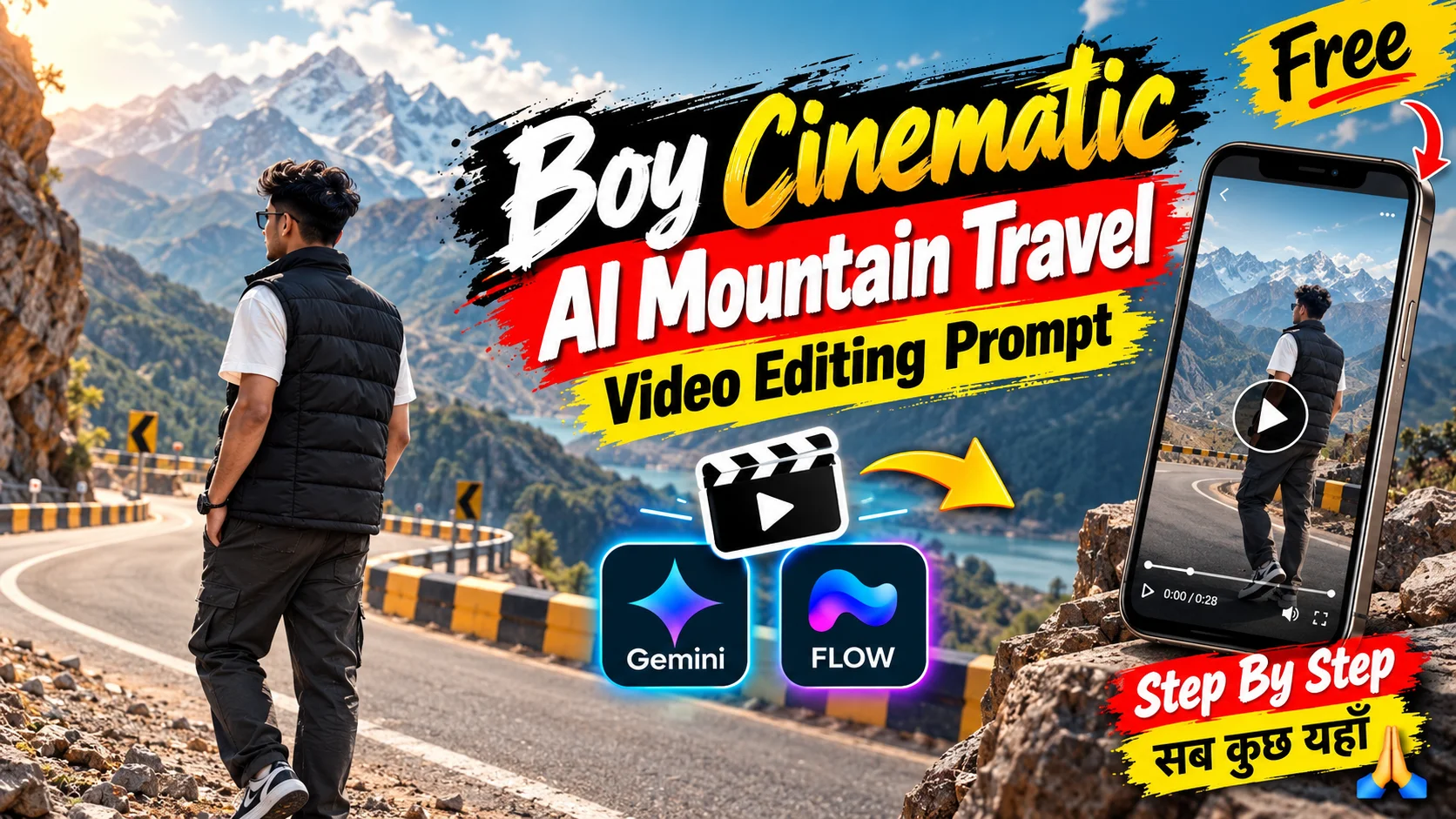
A simple portrait can be turned into a convincing mountain-travel reel when the environment, body movement, camera behavior, and facial identity remain consistent.
This editing style places a young man in a rugged mountain valley with rocky peaks, scenic roads, turquoise water,r and a metal bridge. Instead of relying on flashy transitions, the visual effect comes from realistic outdoor scenery, natural body movement,nt and carefully controlled framing.
The first prompt below is useful for creating a broader cinematic mountain-travel sequence. The second follows a much stricter 10-second timeline with four separate shots.
For another multi-shot outdoor AI video workflow, the helicopter entry AI video prompt uses a similar identity-reference approach with tightly controlled shot timing.
About This Mountain Travel Editing Style
The visual concept combines several recognizable travel moments rather than keeping the subject in one location.
The young man can appear walking along a mountain road, sitting beside pale turquoise water, standing on a weathered bridge,dge and looking across the river. Massive rocky mountains remain an important part of the composition so the landscape feels larger than the subject.
For realism, the video should avoid unnecessary camera movement, exaggerated body gestures, and artificial visual effects. The person should move naturally while the landscape remains physically stable.
What You Need
Prepare a clear photo of the person who will appear in the video. Facial features, hairstyle, and skin tone should be easy to see.
You will also need an AI image-to-video generator that accepts the type of reference input required by your workflow.
For a social-media-oriented version, a vertical composition can work well. The detailed second prompt, however, intentionally preserves the reference concept’s 16:9 landscape format and exact 10-second structure, so that prompt should not be randomly converted to another framing if you want the corresponding result.
Prompt 1 — Cinematic Mountain Travel Sequence
This first prompt keeps the broader concept from the reference: a young man exploring a mountain valley, road, river,r and bridge with realistic travel-vlog styling.
Create a highly realistic cinematic travel video featuring a young man exploring a dramatic mountain valley filled with enormous rocky peaks, a scenic mountain road, clear flowing water and a bridge.
Use the uploaded portrait as the identity reference for the same young man throughout every scene.
Preserve his recognizable facial structure, skin tone, hairstyle, natural proportions and overall appearance. Avoid face morphing, identity drift or sudden changes between shots.
Show the character beside or moving naturally along a scenic mountain road surrounded by huge barren rocky mountains.
Keep his posture relaxed as he observes the mountain landscape. Use physically believable walking and standing positions without exaggerated gestures.
Create another scene near a clear mountain river or turquoise-green body of water.
Position the young man naturally near the water while he calmly observes the river and surrounding scenery.
Render realistic surface movement, shoreline detail, rocks and natural outdoor vegetation.
Include a realistic mountain bridge shot where the same character stands naturally and looks across the surrounding valley, water and mountain landscape.
Preserve believable bridge structure, perspective and physical scale.
Use natural walking mechanics, subtle arm movement, believable foot placement, relaxed standing poses and realistic weight transfer.
Add only gentle movement in the character’s clothing and hair from the outdoor breeze.
Use soft natural daylight with realistic shadows, detailed mountain textures, physically believable water and authentic outdoor atmospheric depth.
Keep the colors natural and restrained. Avoid excessive saturation, artificial glow or unrealistic HDR styling.
Use professional travel-film framing with realistic perspective, natural depth of field and smooth, controlled transitions between the different mountain locations.
Maintain a polished DSLR-style real-camera appearance without making the image excessively sharp or digitally perfect.
Prompt 2 — Exact 10-Second Four-Shot Mountain Video
This prompt preserves the reference’s strict four-shot timeline: mountain-road walk, seated river view, metal bridge scene, and final riverside head turn. It also retains the landscape 16:9 format, 30fps feel, static cameras, and normal 1x motion.
Create an exact 10-second photorealistic live-action mountain-travel video in 16:9 landscape at a natural 30fps-style frame rate and normal 1x real-time speed.
Preserve the same recognizable face shape, facial structure, natural proportions, eyes, eyebrows, nose, lips, jawline, cheeks, chin, skin tone, natural facial asymmetry and hairstyle.
Avoid face replacement, beautification, age changes, generic AI facial features and identity drift.
Show an outdoor mountain road during natural daylight. The young man walks normally from screen-left toward screen-right while viewed from behind at a rear three-quarter angle.
Place him around the middle to lower-middle of the frame. A huge barren rocky brown mountain dominates the background.
Include a broad paved road, white lane marking, roadside guardrail with alternating black-and-yellow sections, gravel and steep layered mountain slopes.
He wears a black quilted sleeveless puffer vest over a white short-sleeve shirt, loose dark gray-green trousers or jeans and black-and-white low-top sneakers.
His arms swing subtly with normal walking rhythm and his legs use realistic weight transfer. Keep his torso upright and relaxed.
Hard cut to a separate static composition beside pale turquoise-green water.
Show the same man seated on large irregular rocks in the lower foreground, seen completely from behind as he faces the water.
He now wears a loose white long-sleeve shirt with dark trousers visible where the rocks do not block them.
Keep the shoulders relaxed, back upright and head directed toward the water. Do not add walking, standing or hand gestures.
Across the water, show a green shoreline with scattered trees, grassy banks, rocks and a small simple building with a reddish roof.
Hard cut to a static rear view of the same man standing on a weathered metal truss bridge above a fast-flowing pale river.
Center him in the frame facing away from the camera toward a large dark rocky mountain slope.
He wears a dark charcoal or gray long-sleeve top or jacket with a visible printed graphic on the upper back and loose dark trousers.
Show aged steel beams, riveted plates, diagonal structural members, horizontal rails and the bridge walkway, with turbulent pale water visible below.
Keep both arms naturally down and both feet planted. Allow only subtle natural head or posture movement.
Hard cut to a static medium-long side/rear riverside composition.
The same man now wears a loose white long-sleeve button-up shirt with the sleeves naturally gathered around the forearms and loose dark gray-green trousers.
Position him close to the rocky river edge. His body stays largely fixed while initially shown in a side profile.
During the shot, slowly rotate only the head and gaze toward the camera until the face looks directly or almost directly at it.
Keep the expression calm and neutral. Do not add walking, body rotation, hand gestures or additional actions.
The pale turquoise water dominates the background, with rocky and grassy shoreline details near the upper frame and a partially submerged concrete or stone structure toward the upper-left.
Keep all four scenes as separate hard cuts. Do not invent camera movement to connect them.
Use normal real-time 1x movement only. Avoid slow motion, speed ramps, time remapping, freeze frames, artificial zooms, whip transitions and flash transitions.
Preserve realistic human anatomy, believable walking mechanics, natural weight transfer, normal arm positioning, physically accurate head rotation, realistic fabric movement and natural water physics.
Do not add extra people, vehicles, props, gestures or scenery that are not described.
How to Create This Mountain Travel AI Video
Start with a clear portrait where the person’s face and hairstyle are easy to recognize.
For Prompt 1, upload your image to an image-to-video workflow and use the prompt to create a broader cinematic sequence containing the mountain road, river and bridge environments.
For Prompt 2, preserve the specified landscape framing and timing. This version is deliberately structured as four hard-cut shots totaling exactly ten seconds.
After generation, inspect every scene for:
- Face consistency
- Correct outfit for each shot
- Natural walking mechanics
- Stable mountain geometry
- Realistic bridge structure
- Water movement
- Head-turn motion
- Camera stability
- Correct shot timing
If you generate the broader Prompt 1 scenes separately, you can combine the strongest clips afterward in your video editor and synchronize them with music or natural ambient audio.
Tips for Better Results
Use a Clear Identity Photo
The second prompt relies heavily on identity consistency even though the character is seen from behind in several shots. A clear source portrait still helps prevent unwanted facial changes in the final riverside shot.
Do Not Force One Outfit Across Prompt 2
The clothing deliberately changes between the four scenes. This is part of the corresponding reference concept, not an inconsistency that should be automatically corrected.
Shot 1 uses a black sleeveless puffer vest and white short-sleeve shirt. Shot 2 uses a loose white long-sleeve shirt. Shot 3 uses a dark long-sleeve top or jacket. Shot 4 returns to a loose white button-up shirt.
Keep the Cameras Static
The detailed ten-second sequence specifically depends on static camera compositions. Adding drone movement, tracking shots or cinematic push-ins would change the intended result.
Preserve Natural Speed
Do not automatically add slow motion to Prompt 2. The intended movement is normal real-time speed.
Check the Water Carefully
Water is one of the easiest places to notice generative artifacts. Look for repeating textures, unnatural direction changes or frozen-looking ripples.
Protect the Final Head Turn
The final shot should mainly contain a gradual head and eye turn. Adding a body spin or walking action would materially change the composition.
FAQs
Why are there two mountain travel prompts?
The first is a broader cinematic travel prompt covering the main road, river, and bridge concept. The second recreates a much more specific four-shot ten-second structure.
Should I use 9:16 or 16:9?
The broader travel concept can be adapted depending on your publishing format. The detailed second prompt specifically calls for 16:9 landscape, so preserve that ratio when reproducing its intended composition.
Why does the clothing change in the second prompt?
Why does the clothing change in the second prompt?
Can I add moving camera shots?
You can make a separate variation, but doing so changes Prompt 2’s intended result. Its four cameras are explicitly static.
Should I add slow motion?
Not to the exact Prompt 2 sequence. It is designed around normal 1x real-time motion. You can experiment with a separate edited variation afterward if desired.
Can I replace the mountain location?
You can create a customized version, but changing the Rocky Mountains, turquoise water and bridge would move the output away from this article’s core visual concept.
Final Thoughts
The strength of this edit comes from the contrast between the huge mountain landscape and relatively simple human movement.
For the broader version, focus on a convincing travel atmosphere and consistent identity. For the ten-second version, treat the timing, clothing, static camera positions, and four-shot order as structural requirements rather than optional styling.
