


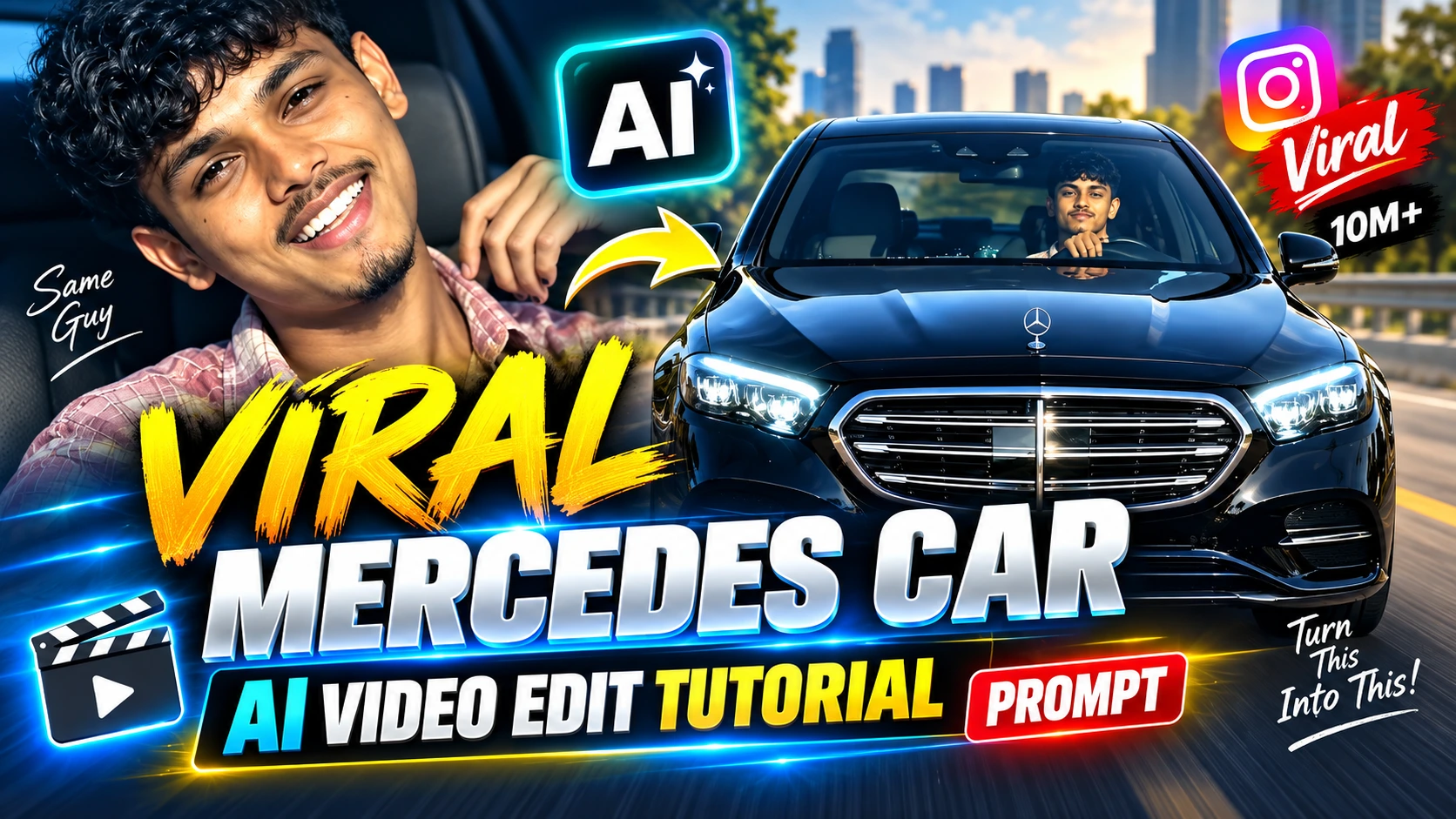
A black Mercedes moving toward the camera, a clean transition into the driver’s seat, and a realistic face reveal can make a simple portrait feel like footage recorded inside a luxury car.
This AI video editing style is designed mainly for boys who want to turn a normal portrait into a realistic vertical car video. Instead of creating a static AI image, the prompt controls vehicle movement, camera perspective, facial expression, hand gestures, lighting, reflections, and the interior scene.
The key challenge is realism. The car should not look like a 3D render, the face should remain recognizable throughout the clip, and the hands should move naturally without warped fingers.
Below is a complete prompt that matches the concept of the reference edit.
About This Mercedes AI Video Style
The video combines two visual stages.
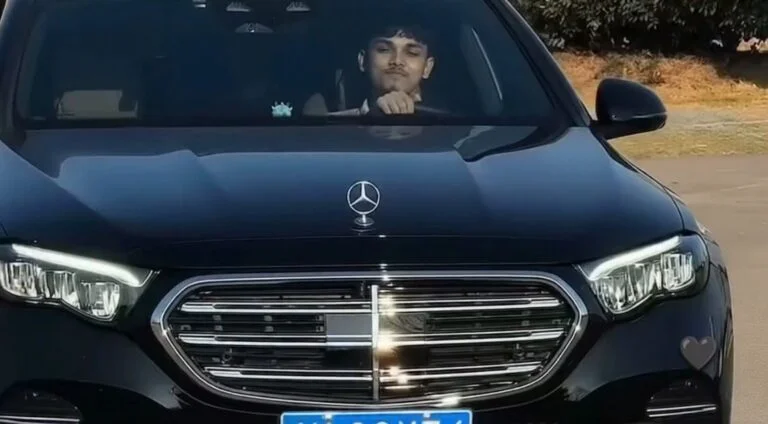
The opening shot shows a black Mercedes approaching the camera. As the vehicle moves closer, the grille, headlights, windshield, and driver naturally become larger because the car is physically moving forward rather than because of a digital zoom.
The edit then moves inside the vehicle. A young man sits behind the steering wheel, looks toward the camera, develops a subtle smile, raises one hand beside his face for a casual gesture, and finishes with a relaxed expression.
For the most convincing result, use a clear portrait as the character reference and, where supported, a reference video for the car movement and camera timing.
Google Flow currently supports video creation using prompts together with visual references such as ingredients and frames, although available features and clip lengths vary between models.
What You Need Before Creating the Video
Prepare a clear portrait of the person you want to appear in the Mercedes video. A front-facing or slightly angled photo generally gives the AI more useful facial information than a heavily filtered, blurry, or very distant image.
You will also get better control if your video generator supports a second reference for the car scene. This can guide vehicle movement, composition, transition timing, and camera perspective.
For this specific edit, the target output is:
- A young man as the main character
- A realistic black Mercedes sedan
- Exterior car-approach shot
- Interior driver-seat scene
- Natural head and eye movement
- Subtle smile
- Casual hand gesture near the face
- Nighttime luxury-car atmosphere
- Realistic windshield and body reflections
- Vertical 9:16 framing
- Approximately 10 seconds of motion
Create a photorealistic vertical video of approximately 10 seconds using the supplied character image as the identity reference and, when available, the supplied reference video as the guide for the Mercedes, vehicle movement, camera placement, framing, transition timing and overall composition.
Use the uploaded young man's portrait as the appearance reference throughout the complete video. Keep his recognizable facial structure, eyes, eyebrows, nose, lips, jawline, skin tone, hairstyle, facial hair, approximate age, outfit and natural body proportions consistent from shot to shot.
Do not beautify or redesign his face. Avoid enlarged eyes, altered nose shape, artificial facial symmetry, plastic skin, excessive smoothing or changing facial proportions.
Keep the identity visually stable during head movement, smiling, blinking and hand gestures.
Render realistic skin texture with subtle pores, fine detail and natural variation rather than perfectly smooth artificial skin.
Eyes should contain believable moisture and reflections. Include natural blinking and small eye movements.
Facial expressions must develop through subtle muscle movement. Avoid frozen expressions, rubber-like motion, face warping or sudden changes in facial identity.
Keep the hairstyle consistent with the reference image. Individual hair strands should look natural and react subtly to head movement. Avoid painted, waxy or plastic-looking hair.
Hands must have believable human anatomy with five fingers, realistic joints, normal fingernails, correct palm proportions and physically connected wrist and arm movement.
When the hand is raised, animate the motion continuously from shoulder to elbow, wrist and fingers.
Do not create extra fingers, fused fingers, disappearing fingers, distorted palms or floating hands.
Use a realistic black Mercedes luxury sedan with convincing physical materials.
The exterior should include believable black metallic paint, natural clear-coat reflections, grille details, Mercedes emblem, headlights, windshield glass, mirrors, tires, body-panel gaps and rubber seals.
The vehicle must look physically present in the environment rather than like a smooth 3D model.
Reflections on the paint, chrome and glass should correspond naturally to the surrounding environment.
The windshield must behave like genuine automotive glass with realistic transparency, subtle tint, reflections, glare and refraction.
The interior should feel like a real luxury sedan cabin.
Keep a realistic steering wheel visible in the foreground. Include believable dashboard materials and beige or cream leather seating where appropriate to the reference.
Interior surfaces must have natural texture and reflections instead of glossy artificial rendering.
Use physically believable real-camera characteristics:
- Natural exposure
- Realistic dynamic range
- Soft highlight roll-off
- Authentic motion blur
- Natural depth of field
- Believable lens perspective
- Subtle lens distortion
- Realistic focus transitions
- Very light sensor grain
- Natural micro-contrast
- Physically consistent shadows
Avoid excessive HDR processing, extreme sharpness, oversaturation, artificial glow or digitally perfect surfaces.
Begin outside the car with a front-facing view of the black Mercedes approaching the camera.
The vehicle must physically travel through the scene. As the distance decreases, the grille, emblem, headlights, hood and windshield should naturally become larger because of perspective.
Maintain realistic wheel and body motion.
The car must not slide, float or move like a computer animation.
Keep the driver physically seated inside the vehicle and partially visible through the windshield.
Use believable nighttime reflections on the windshield and body panels without completely hiding the driver's face.
Cut from the exterior view to the interior driver shot.
If a reference video has been provided, follow its transition timing and transition style instead of inventing a different effect.
Do not use an exaggerated flash, spin or artificial transition unless it appears in the reference.
Show the young man naturally seated behind the steering wheel.
His upper body is relaxed and centered. Shoulders remain stable.
He first looks calmly toward the camera while maintaining subtle natural breathing and blinking.
Keep his hands in a believable driving position.
Use soft, cool nighttime illumination with subtle dashboard light and natural shadows.
The young man moves his upper body only slightly closer toward the camera. His head follows the torso naturally.
A small smile begins to appear.
One hand gradually leaves the steering wheel and moves upward beside his face.
Animate the complete arm chain correctly: shoulder movement leads into the elbow, wrist and fingers.
He forms a casual two- or three-finger gesture beside his face.
The elbow bends naturally, the wrist rotates slightly and individual fingers move realistically.
At the same time, tilt the head slightly toward one side while keeping the eyes directed toward the camera.
The expression should feel relaxed, playful and confident rather than exaggerated.
Lower the raised hand gradually.
Allow the smile to become slightly wider with natural cheek movement and a subtle narrowing of the eyes.
Move the head partially back toward the center.
The neck and shoulders should follow the motion naturally instead of remaining rigid.
Keep the steering wheel, dashboard and surrounding car interior spatially stable.
Settle into a relaxed final driving pose.
Keep a subtle natural smile.
Return the raised hand toward a believable resting or steering-wheel position.
Continue small breathing motion, natural blinking and slight eye movement.
Do not introduce a new dramatic action at the end.
Maintain the same character identity, hairstyle, clothing, vehicle interior and lighting until the final frame.
Use physically believable nighttime lighting.
Street, ambient and dashboard light should interact naturally with the face, hair, windshield, chrome, black paint, steering wheel, dashboard and leather surfaces.
Shadows must have realistic direction and softness.
Avoid fake studio lighting, excessive cinematic glow, artificial rim lighting or neon effects unless they exist in the reference.
Use restrained real-camera color reproduction.
Keep skin tones natural, black paint neutral and believable, and the beige or cream interior realistically colored.
Avoid heavy orange-and-teal grading, excessive contrast, oversaturation or an artificial HDR appearance.
Maintain stable facial identity, body proportions, clothing, steering wheel geometry, dashboard structure, car shape and lighting from frame to frame.
All body motion should obey realistic human anatomy and physical momentum.
Avoid flickering objects, changing dashboard details, morphing facial features, unstable hands, jumping reflections or sudden changes in body size.
If a reference video is supplied, use it as the primary guide for car movement, camera angle, framing, timing, transition and action sequence.
Use the uploaded portrait as the primary guide for the person's identity and appearance.
Do not copy unwanted faces or identity details from the reference video.
How to Create This Mercedes AI Video
The exact interface depends on the AI video tool you use, but the basic workflow is straightforward.
1. Prepare a Clear Character Photo
Choose a portrait where the face is easy to recognize.
Avoid photographs with extreme beauty filters, motion blur, sunglasses covering the eyes, very dark facial lighting, or large objects blocking the face.
A clean reference gives the video generator better information about facial structure and hairstyle.
2. Prepare the Car Reference Video
If your tool supports video references, add the Mercedes clip whose movement and framing you want to reproduce.
The reference is especially useful for controlling:
- Car movement
- Camera distance
- Exterior framing
- Transition timing
- Driver position
- Head movement
- Hand gesture
- Overall pacing
The new video should use your character image for identity rather than copying the person visible in the original reference clip.
3. Add Your Character Reference
Upload the portrait as the character or visual reference.
If the tool allows several reference assets, make it clear which file represents the person and which file controls the motion or composition.
This reduces the chance that the generator will mix visual information from the two inputs.
4. Copy the Mercedes Video Prompt
Use the Copy Prompt button above.
It copies only the actual generation prompt, so the title, aspect-ratio recommendation, and other widget information will not be included.
5. Paste the Prompt Into Your Video Generator
Paste the complete prompt without deleting the important instructions about identity consistency, realistic hands, physical car movement,t and camera behavior.
You can customize selected details such as clothing or interior color, but changing too many elements at once can make the output less consistent.
6. Choose Vertical 9:16
For a Reel-style result, use a vertical 9:16 canvas when your selected generator provides that option.
The tall composition works well because the subject, windshield, steering wheel, el and upper body can remain visible without requiring an excessively wide shot.
7. Select the Video Length
The prompt is structured around an approximately 10-second clip.
If your chosen model does not provide a 10-second duration, use the nearest available length and allow the generator to compress the movement sequence proportionally.
Google Flow's current model options support different clip lengths depending on the selected model and feature, so the available duration should be checked inside the interface before generating.
8. Generate and Inspect the Result
Do not judge the video only by the first frame.
Watch the complete clip and inspect:
- Face consistency
- Eye movement
- Hand anatomy
- Finger count
- Steering-wheel shape
- Car emblem and grille
- Windshield reflections
- Head movement
- Transition timing
- Dashboard stability
- Final facial expression
Generative video can introduce inconsistencies during motion even when the opening frame looks correct.
9. Regenerate Only When Necessary
If the overall composition is good but one element fails, modify the instruction related to that specific problem instead of completely rewriting the prompt.
For example, if the fingers become distorted, strengthen the hand-anatomy instruction. If the car appears to zoom rather than physically move, emphasize perspective change and physical forward movement.
This makes troubleshooting more controlled.
Tips for a More Realistic Result
Use a Clean Portrait
The face reference matters more than adding dozens of descriptive adjectives.
A sharp, naturally lit portrait gives the generator more reliable visual information than a heavily processed selfie.
Keep the Character Visible
If the windshield reflection becomes too strong, the driver's face can disappear behind glare.
The reflection should remain visible because it helps sell the real-car effect, but it should not completely cover the character.
Avoid Excessive “Cinematic” Effects
Heavy glow, extreme contrast, and artificial lens flares can make the video look less realistic.
For this edit, ordinary believable camera behavior is more useful than exaggerated film effects.
Watch the Car's Perspective
When the Mercedes moves closer, different parts of the vehicle should grow naturally in the frame.
A simple digital zoom scales the whole image uniformly and can immediately feel artificial.
Check the Hands Frame by Frame
Hand gestures are one of the most difficult parts of this sequence.
Look specifically for fused fingers, extra fingers, changing finger length, disconnected wrists, and sudden changes in hand size.
Keep Camera Instructions Consistent
Do not request a fixed frontal camera in one part of the prompt and a dramatic orbiting camera in another.
Conflicting camera directions give the model competing instructions and can reduce visual consistency.
Google's own Flow guidance similarly recommends avoiding conflicting instructions between prompts and visual references.
Common Problems With This Edit
The Face Changes During the Video
This usually becomes most noticeable when the head rotates, or the character smiles.
Use a high-quality character reference and keep the facial movement subtle. Strong transformations, extreme expressions, ns and fast head turns give the model more opportunities to alter facial features.
The Mercedes Looks Like CGI
Reduce wording that encourages a glossy commercial render.
Ask for natural exposure, imperfect physical reflections, real glass behavior, ordinary camera optics, and restrained sharpness.
The Car Appears to Zoom Instead of Drive Forward
Tell the model that the change in apparent size must come from actual vehicle movement through space.
Perspective should evolve as the distance between the camera and vehicle changes.
The Hand Gesture Looks Broken
Slow down the gesture and describe the movement as a connected anatomical sequence from shoulder to elbow, wrist, and individual fingers.
Avoid requesting several complicated hand actions at the same time.
The Interior Keeps Changing
Specify that the steering wheel, dashboard, seat,s and cabin geometry remain spatially stable throughout the interior sequence.
The model should change the character's movement, not redesign the vehicle between frames.
FAQs
Can I create this Mercedes AI video from only one photo?
A character photo can provide the person's appearance, but reproducing a specific car movement and camera sequence is easier when the video generator also accepts a suitable reference clip. Available reference features depend on the tool and model you use.
Can I replace the Mercedes with another car?
Yes, the prompt can be customized with another vehicle. However, the current version is specifically designed around a black Mercedes luxury sedan look. Changing the vehicle will also change the visual result compared with this tutorial.
Why does the face sometimes change during head movement?
Generative video models have to reconstruct the subject across many frames. Larger head rotations, smiles, reflections, and partial facial obstruction make consistency more difficult. A clean reference image and restrained movement instructions can help reduce these changes.
Can I use Google Flow for this type of video?
Google Flow currently supports video generation with text prompts and visual references such as ingredients and frames. Feature availability depends on the selected model and region, so check the options shown in your account before generating.
What aspect ratio should I use?
Use 9:16 when your goal is a vertical Reel, Short, or similar mobile-first video. It also suits this composition because the driver can remain centered behind the steering wheel.
Will this prompt make the video go viral?
No prompt can guarantee views or virality. The prompt controls the intended visual style and motion; distribution depends on factors such as the final output, editing, audience response, platform behavior, and how the video is published.
Final Thoughts
The most important part of this Mercedes AI video is not simply placing a person inside a luxury car. The exterior movement, windshield reflections, face consistency, hand anatomy, and interior motion all need to remain believable together.
Start with a strong character reference, keep the movement controlled, use the 9:16 format for a vertical version, and inspect the complete generation before publishing it.
