


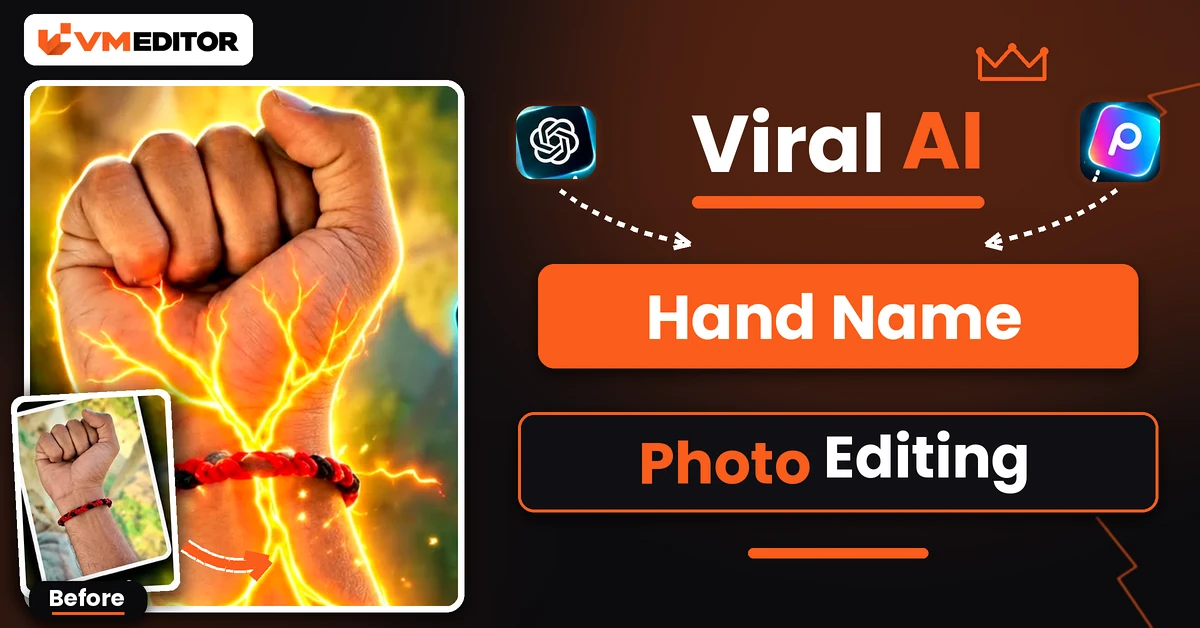
Your Hand, a Glowing Tunnel, and Your Letter Floating Inside It
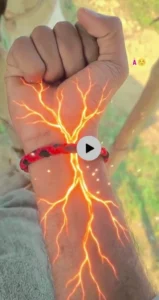
It starts as the most ordinary photo possible: your own closed fist, wristwatch on, nothing special. Then red-orange lines of light spread under the skin like glowing veins, the camera dives into the wrist — and suddenly you are travelling through a cinematic tunnel where your initial hangs in the air in glowing 3D, again and again, all the way down. That is the hand name video trend currently doing the rounds on Instagram and WhatsApp status, and it is made from a single photo and a single prompt.
No camera tricks and no editing timeline. You upload one clear photo of your hand, paste the prompt below into Google Flow, type the letter you want, and the AI builds the whole transformation. Here is the exact prompt, plus the photo rules that keep your real hand looking like your hand.
Details of the Viral Hand Name Video Edit
The reason this format travels so well is the contrast. The opening seconds are completely real — your skin tone, your watch, your sleeve, your room in the background — so viewers trust what they are seeing. The science-fiction transformation lands harder because of it. And the letter makes it personal: an initial turns a generic effects video into *your* video, which is why people make them for their own name, a partner’s initial, or a friend’s birthday.
The full effect runs about 10 seconds: real hand, glowing veins, camera push-in, internal tunnel, floating letters. Every stage is specified in the prompt, including the timing, so the AI does not improvise the sequence.
How to Select the Perfect Hand Photo
The prompt preserves whatever hand you give it — which means a bad photo gets preserved too. For a clean result:
Closed fist, watch visible. Shoot the same pose the video opens with: fist closed, wrist and a little forearm in frame, your wristwatch clearly visible if you wear one. The glow starts beneath the watch, so it needs to be in the shot.
Fill the frame with the hand. A hand that is small in a wide photo gives the AI nothing to preserve. Get close — hand and forearm should dominate the picture.
Plain background, honest light. A simple wall or desk behind the hand, lit well enough that skin texture and the watch details are sharp. Avoid heavy filters; the video keeps your opening seconds photorealistic.
Keep your sleeve in the shot. Whatever cuff or sleeve is visible becomes part of the preserved look. Decide what you are wearing before you shoot, not after.
Prompt 1: AI Hand Name Letter Tunnel Video
Upload your fist photo, paste this prompt, and replace [ENTER YOUR LETTER HERE] with your letter in both places before you generate.
How to Create the Hand Name Video in Google Flow
Step 1: Open Google Flow and start a New Project.
Step 2: Click the Plus icon → Upload and add your fist photo.
Step 3: Paste the copied prompt, then find both [ENTER YOUR LETTER HERE] spots and replace them with your letter. Skipping one is the most common mistake — the tunnel ends up with a placeholder or the wrong letter.
Step 4: Set the aspect ratio to 9:16 and the duration to 10 seconds.
Step 5: Generate. Check the opening seconds first — your hand and watch should look untouched — then download the video and post it.
What Is Google Flow AI?
Flow is Google’s AI video tool: give it a prompt and it generates a video, and if you also give it a reference photo, it builds the video around that photo — your hand stays your hand while everything around it transforms. It runs on Google’s Veo video models, works in the browser, and the free plan includes a limited credit pool, which is enough to make a few of these letter videos while the trend is fresh.
FAQs
Which letter should I use in the prompt?
Any single English alphabet letter — most people use the first letter of their own name or a partner’s initial. Replace [ENTER YOUR LETTER HERE] in both places in the prompt, and use only one letter, not a full name
Can I make this video without a wristwatch in my photo?
Yes. The watch is preserved because most reference photos have one, and the glow starts beneath it. Without a watch, the glow simply starts at the wrist — the rest of the video works the same.
Why does my hand look different in the generated video?
Usually the photo: a small, blurry or heavily filtered hand gives the AI too little to preserve. Retake it close-up, fist closed, in plain light with the hand filling the frame.
Is Google Flow free for this video?
Flow’s free plan includes a limited pool of credits, and a 10-second video like this spends some of them. It is enough to test the trend and make a few versions with different letters.
Conclusion
One honest photo of your hand, one prompt, one letter — that is the entire production. Shoot the fist photo cleanly, double-check both letter placeholders before you generate, and the video takes care of itself.
For another one-photo video trend in the same spirit, readers also try the string art video editing prompt, which turns a portrait into a glowing string-art animation.
